Add an Administrator
To add an office administrator user, follow these steps:
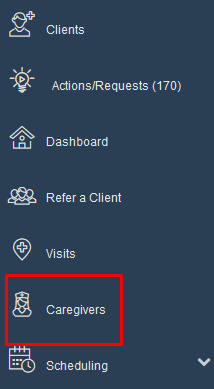
Step 1: Click on "caregivers".
Step 2: Click on "add new"
It is advised before adding any new staff member to search the caregiver status as "All" to make sure this worker has not been added before. This helps prevent unwanted duplicates.

Step 3: In personal information go to "User Role". In the drop down menu click on "Administrator".

Step 4: Fill in required fields.

Step 5: Click on "Create Web User". A new area will open with info for web user.

Step 6: Create "User Id" and "Password".
A suggested User Id and password format is as follows: User Id - First initial of first name, last name and organization code. Temporary password is organization code and year.
This password is temporary and the system will have you change password the first time you log in.

Step 7: Scroll to bottom of page and click on "save personal".
