← All help articles

Calendar in the Ankota Mobile App

Calendar

The caregiver calendar provides a quick, visual overview of the caregiver’s upcoming schedule. To view the calendar, simply click Calendar from the main menu. It is defaulted to month view of the current month, with dots representing each scheduled visit. Below the calendar, there is a list of every visit including the date, time, client, visit status, and visit type.
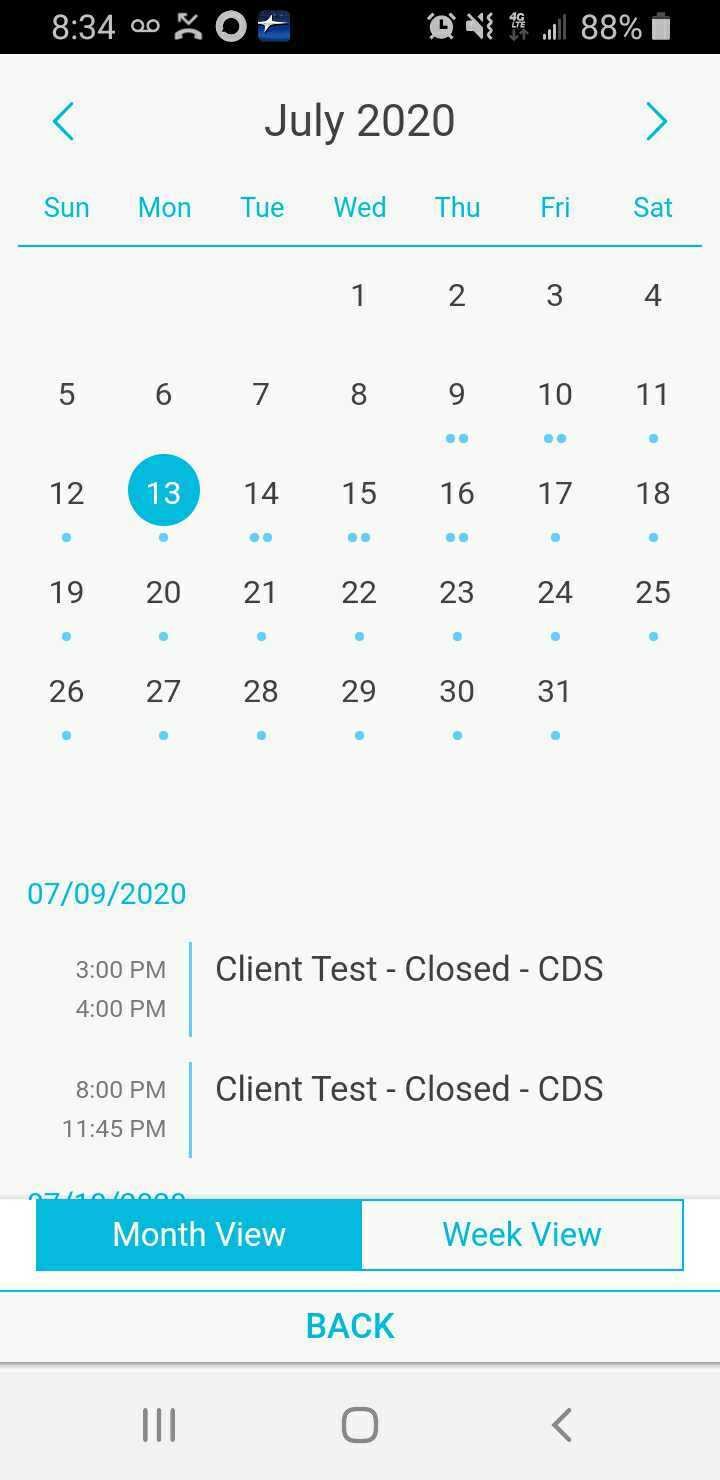
This is the Calendar view in the Ankota Mobile App showing July 2020 in month view, with the 13th highlighted in blue as the current date. Below the calendar grid, a daily schedule for 07/09/2020 displays two "Client Test - Closed - CDS" appointments at 3:00-4:00 PM and 8:00-11:45 PM, with toggle options for Month View and Week View at the bottom.

If you click on a specific day in the calendar with a schedule visit or visits, a preview of the day will also appear.
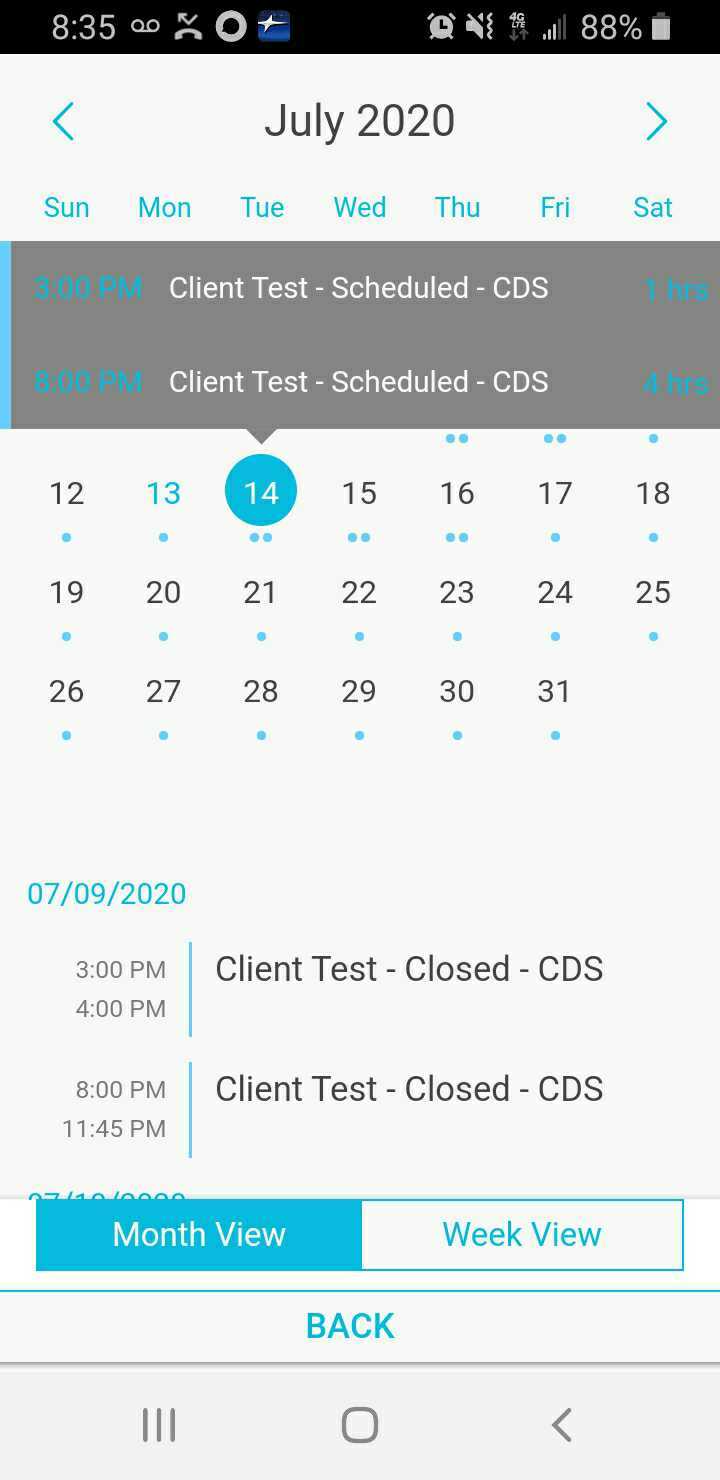
The calendar view for July 2020 displays scheduled "Client Test - CDS" events across multiple dates, with the 14th highlighted as the current day and small blue dots indicating event dates throughout the month. Below the calendar grid, a daily agenda for 07/09/2020 shows two "Client Test - Closed - CDS" events at 3:00-4:00 PM and 8:00-11:45 PM, with "Month View" and "Week View" toggle options at the bottom.

To view the calendar in week view, click Week View at the bottom.
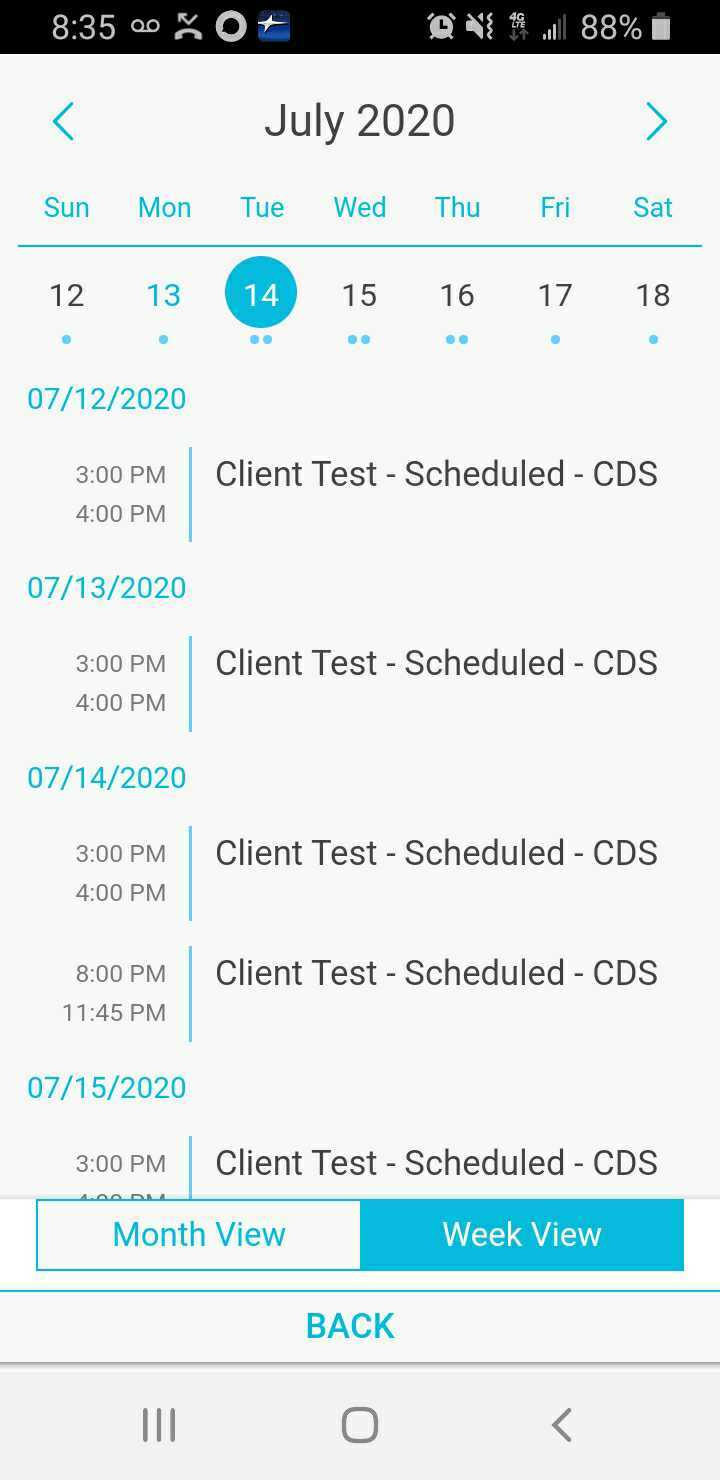
Calendar view showing July 2020 with July 14th selected, displaying a list of scheduled "Client Test - Scheduled - CDS" appointments across multiple dates with their corresponding time slots. The bottom of the screen shows Month View and Week View toggle buttons, with Week View currently active.

Was this article helpful?
On this page