← All help articles

Caregiver Chat via Mobile App

Caregiver Chat

Caregivers can access Mobile Chat from the mobile app. Training for this feature is also provided in the Caregiver Resources HelpSite.
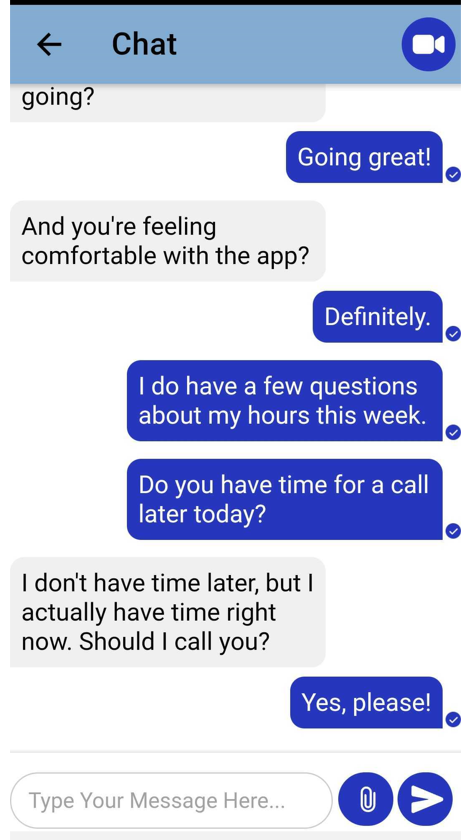
This is a chat conversation screen showing an exchange between two users with blue message bubbles (sent messages) and gray bubbles (received messages) discussing availability for a call about work hours questions. The top shows a "Chat" header with a back arrow and video call button, while the bottom contains a message input field with attachment and send buttons.

To open chat, open the mobile app. In the app, click the Chat section.

By clicking on this section, caregivers will open a chat list of available admins. Once they click an admin, a chat window will open. 

In this window, they can:

  • Instant message an admin
  • Call an admin 
  • Video call an admin

Please note the caregiver will need a working microphone and/or camera if they wish to use the call or video call options.

Video Chat
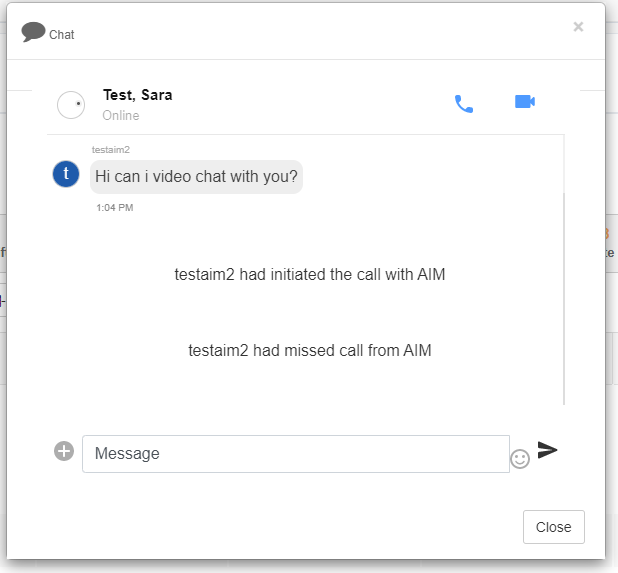
Chat window showing a conversation with "Test, Sara" who is marked as Online, displaying a video chat request message at 1:04 PM along with call history notes (initiated call and missed call), with a message input field at the bottom and call/video icons in the header.

Was this article helpful?
On this page