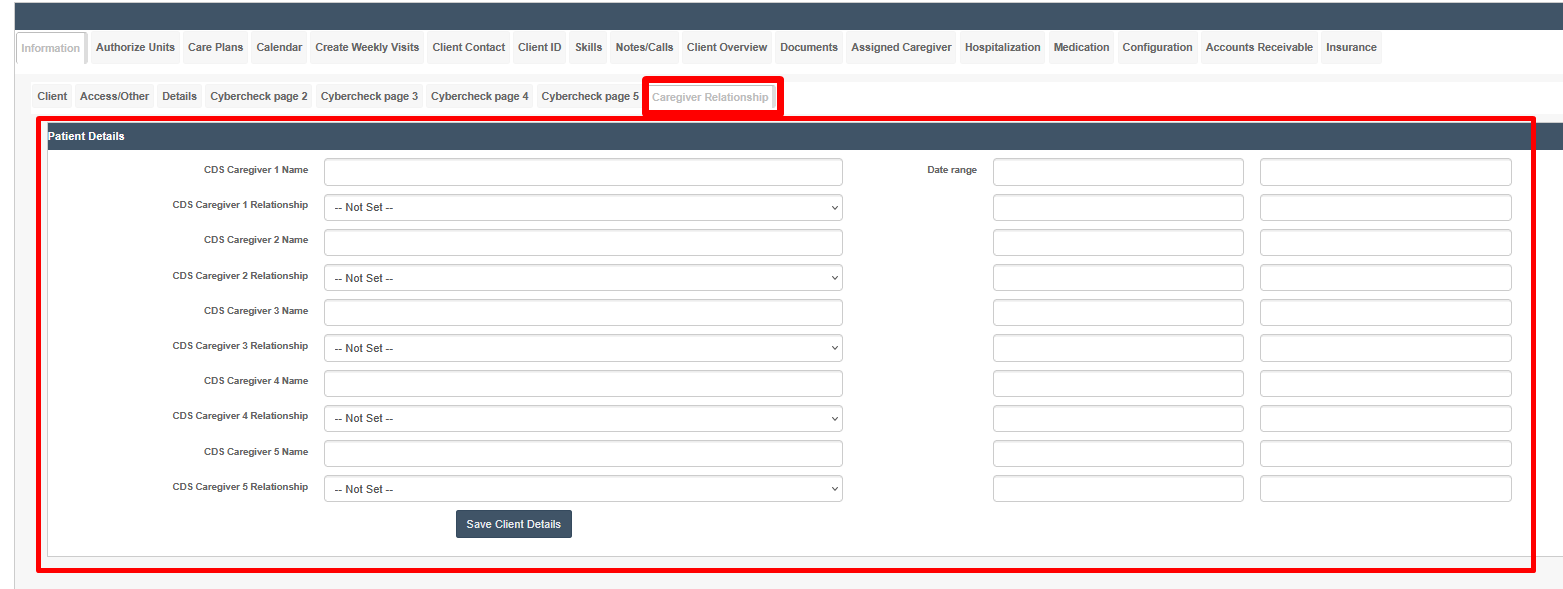
Client Registration Tabs & Fields
Overview
Frequently, organizations will wish to add unique client data fields, or even completely different tabs of data fields, for data tracking purposes. In other words, sometimes you just want to create a place to add some information about a client in an organized way. This is easily accomplished by using the Client Registration functions in Organizational Settings. Any fields created here can also be exported to the Client Census Report.
Index
- Creating Tabs for Tracking
- General
- Fields without Categories/Tabs
- Creating Fields for Tracking
- Client Relationship Tracking
[[VIDEO:0]]
Creating Tabs for Tracking
General
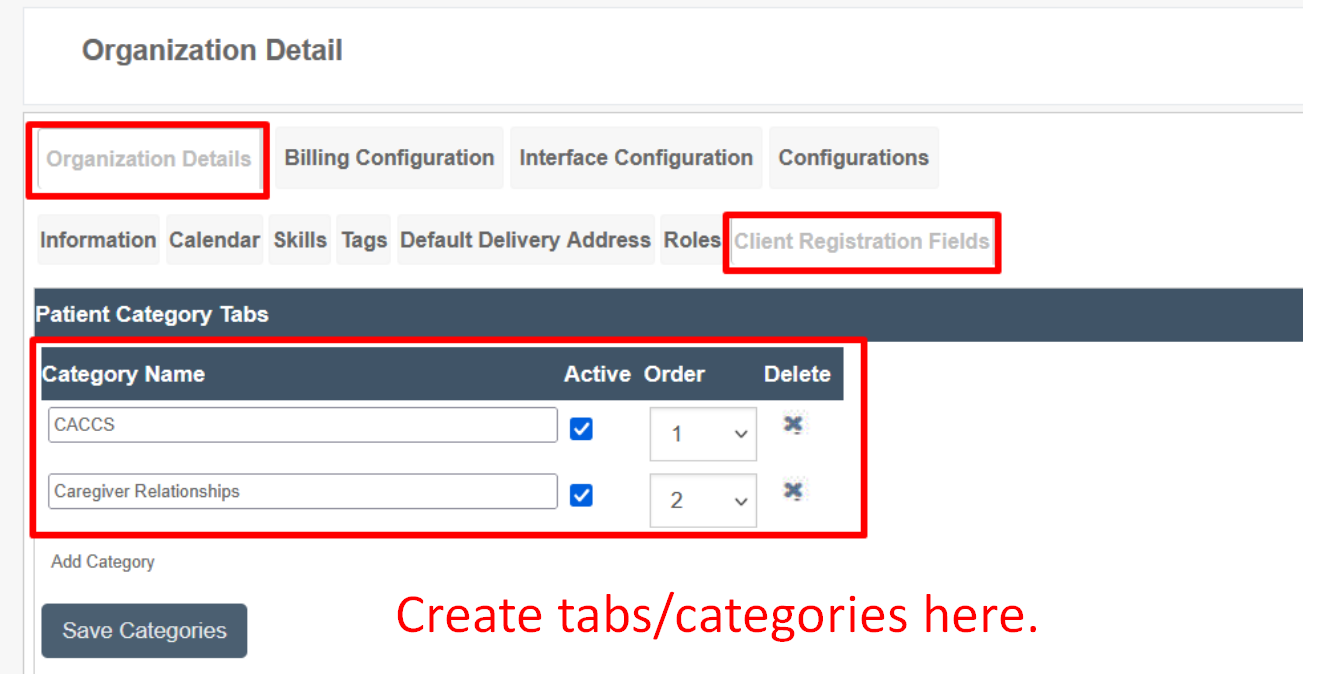
To create a new tab on the client's main profile page, go to Settings --> Organizational Detail, then click the Client Registration Fields subtab.
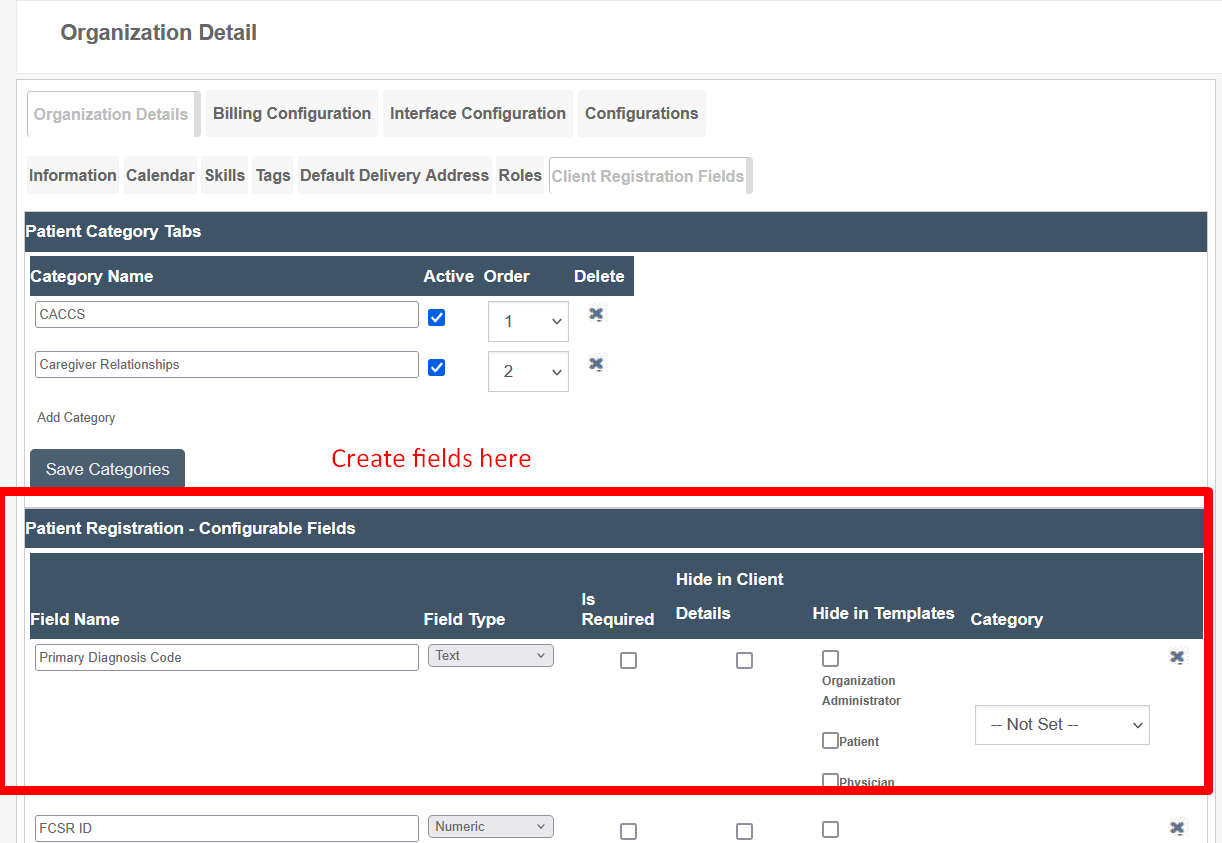
At the top of the section, add category names, set them to active, select an order, and then save the category.
These categories will be assigned later to specific fields that you build.
Fields without Categories/Tabs
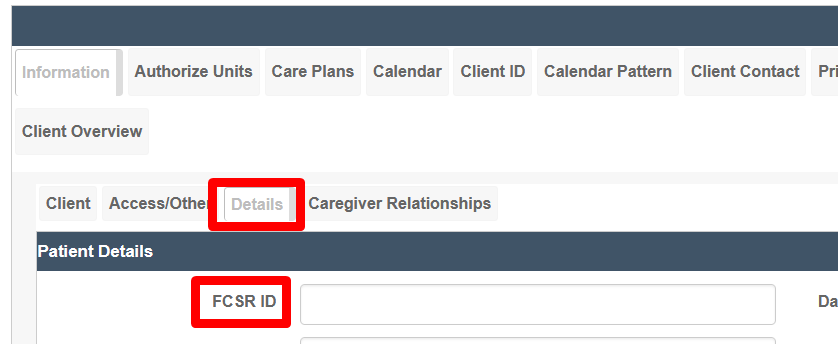
Fields with no categories assigned are assigned to the default Details tab.
Creating Fields for Tracking
General
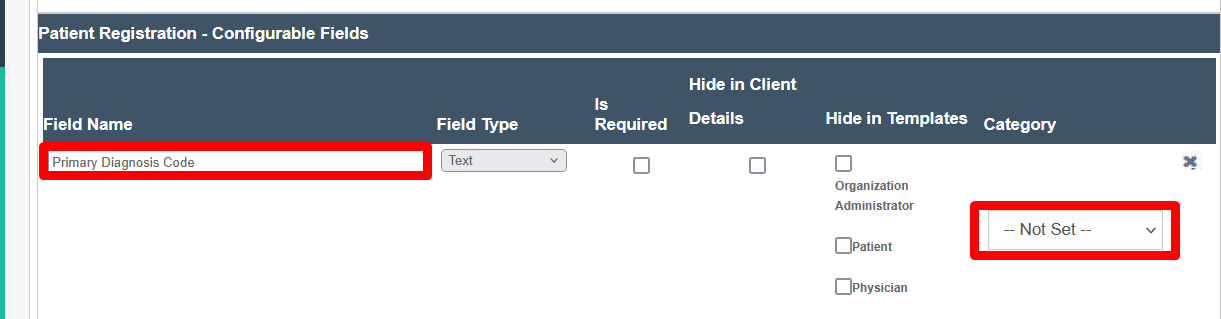
To create a new field on the client's additional profile tabs, go to Settings --> Organizational Detail, then click the Client Registration Fields subtab.
In the middle of the page, add configurable field names, assign the field type, set requirements, and assign a category/tab for the field to appear on.
Subfields
- Field Name — The name of the visible field.
- Field Type — Determines the field type after the name: text field, numbers-only field, drop-down list, etc.
- Is Required — Determines whether the field must be filled out.
- Hide in Client Details — Hides the client field.
- Hide in Templates — Hides fields based on template.
- Category — Sets the category/tab of the field.
Client Relationship Tracking
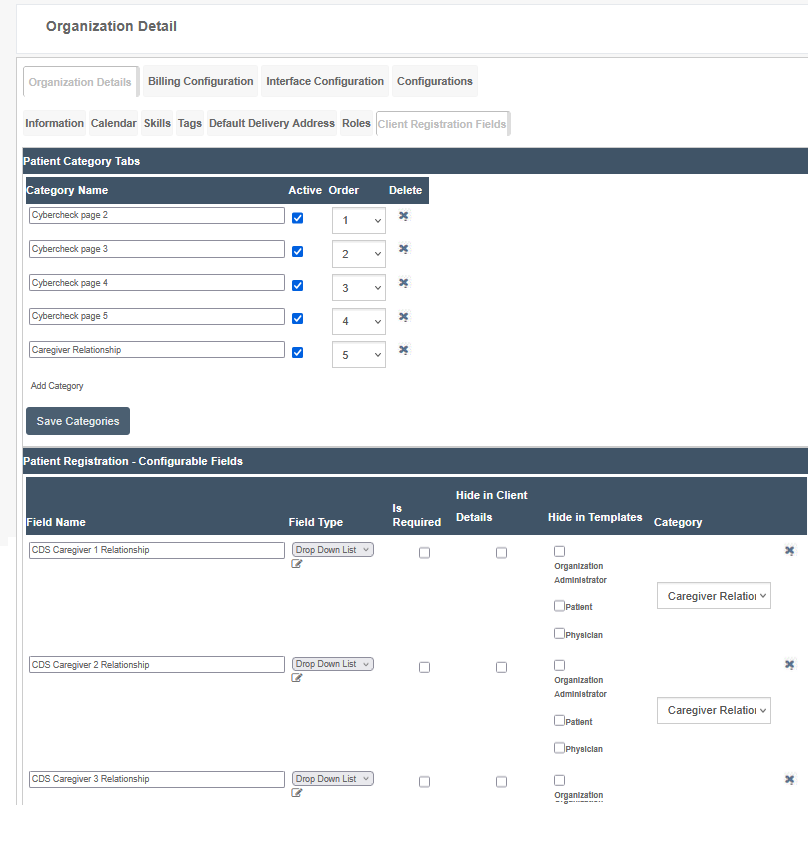
Some agencies require relationship tracking in order to satisfy state audit requirements. This is easily managed using configurable client registration fields, which can be exported afterward into the Client Census Report.
Client registration fields can be uniquely configured, both by creating new tabs and by creating new tracking fields (text, number, drop-down, etc.) as needed. See below for a caregiver relationship tracker sample.
Administrative Client Registration Tab & Field Builders
Admin View of Client Profile