Create FMS App Login
Are you adding 1 user? Follow steps below
Is this user linked to multiple accounts? Assign them a master contact
Adding FMS Account
-
Go to Participant's Profile
-
Click TAB Participant Contact
-
Add new

-
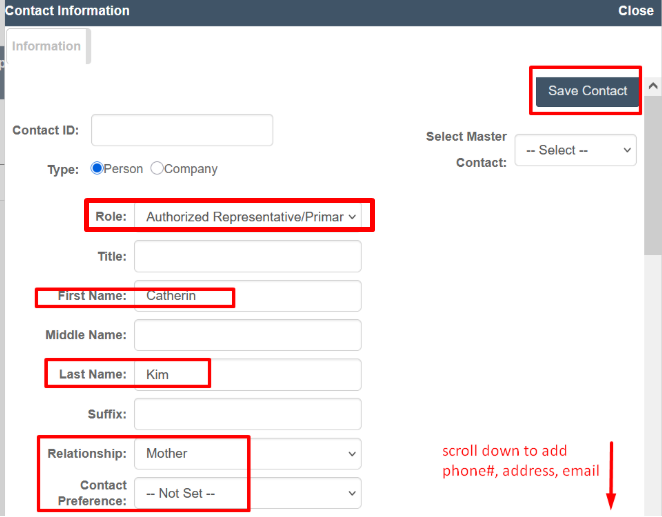
Add Details
-
Role
-
First/Last Name
-
Relationship
-
Contact Preference optional
-
Phone#, Address, Email optional
-
-
Click Save Contact
-
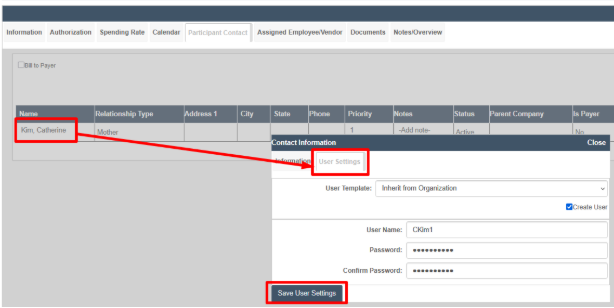
Open Contact Details by Selecting NAME
-
Click TAB User Settings
-
Add username
-
Password
-
-
Save User Settings
Was this article helpful?