Community›Introduction to A Home Care Community

Introduction to A Home Care Community

Overview

A Home Care Community is a site where members can have conversations, access resources, and learn about events happening in the home care industry.
The Home Care Community logo and branding page displays the organization's name with a handshake icon and tagline "Discover, Share, Connect" in red text below.

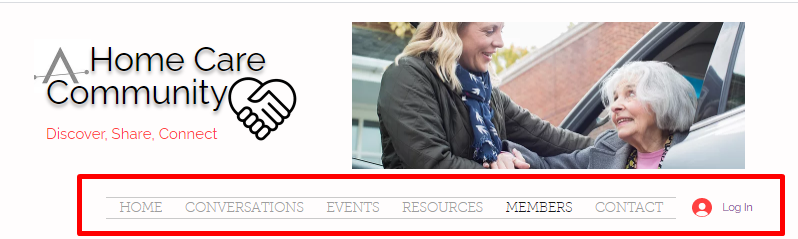
The Home Care Community website header showing the main navigation menu with tabs for HOME, CONVERSATIONS, EVENTS, RESOURCES, MEMBERS, and CONTACT, along with a Log In button in the top right corner and the site logo with tagline "Discover. Share. Connect" on the left.

The sections of the site include:

  • Home
  • Mailing List
  • Become a Member and Sign In
  • Conversations
  • Events
  • Resources
  • Members
  • Contact

Home

Access the site at: http://www.ahomecarecommunity.com.

The home page includes links to featured content, including articles Ankota has published in the past as well as ahomecarecommunity's site content.
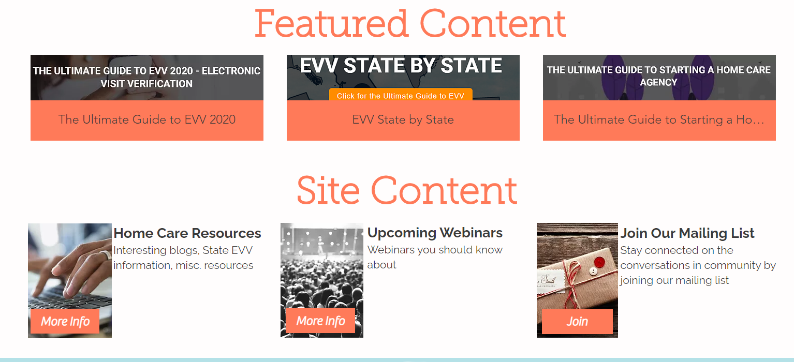
Featured Content and Site Content section of a homepage displaying three featured guide cards at the top (EVV 2020, EVV State by State, and Home Care Agency startup guide) and three content cards below (Home Care Resources, Upcoming Webinars, and Join Our Mailing List), each with descriptive text and action buttons.

Mailing List

Upon entering the site, a pop-up prompts visitors to join the mailing list. Entering an email address adds the user to the mailing list to receive updates.

A mailing list signup page with a coral background and watercolor flamingo illustration, featuring a headline "JOIN OUR MAILING LIST" and subtext "and never miss an update," along with an email input field and a dark gray Submit button in the bottom right, with a close button (X) in the top right corner.

Become a Member and Sign In

To sign up or log in, click the button in the top right corner of the website.
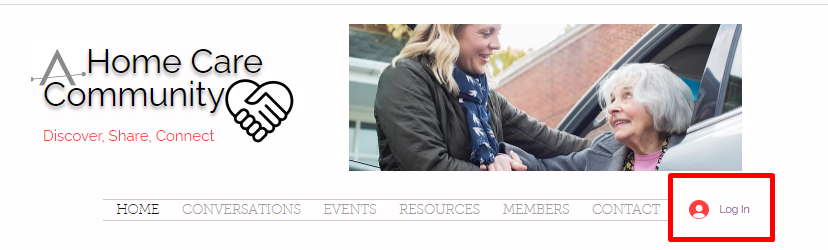
The Home Care Community website header displays the organization's logo with a handshake icon and tagline "Discover, Share, Connect," along with a navigation menu including HOME, CONVERSATIONS, EVENTS, RESOURCES, MEMBERS, and CONTACT options, with a red Log In button positioned in the top right corner.

Users without an account will be prompted to sign up.
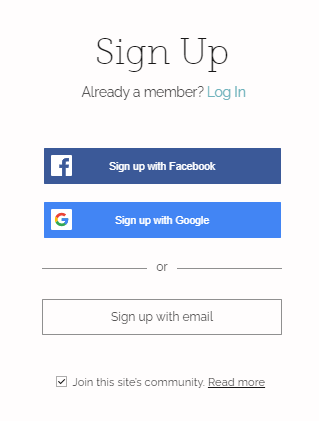
Sign up page offering multiple registration options including Facebook, Google, and email sign-up buttons, with a checkbox option to join the site's community and a "Log In" link for existing members.

Conversations

The Conversations tab hosts discussions with other site members on industry best practices, state-by-state discussions, and a discussion series called "Monday Moore Mantra".
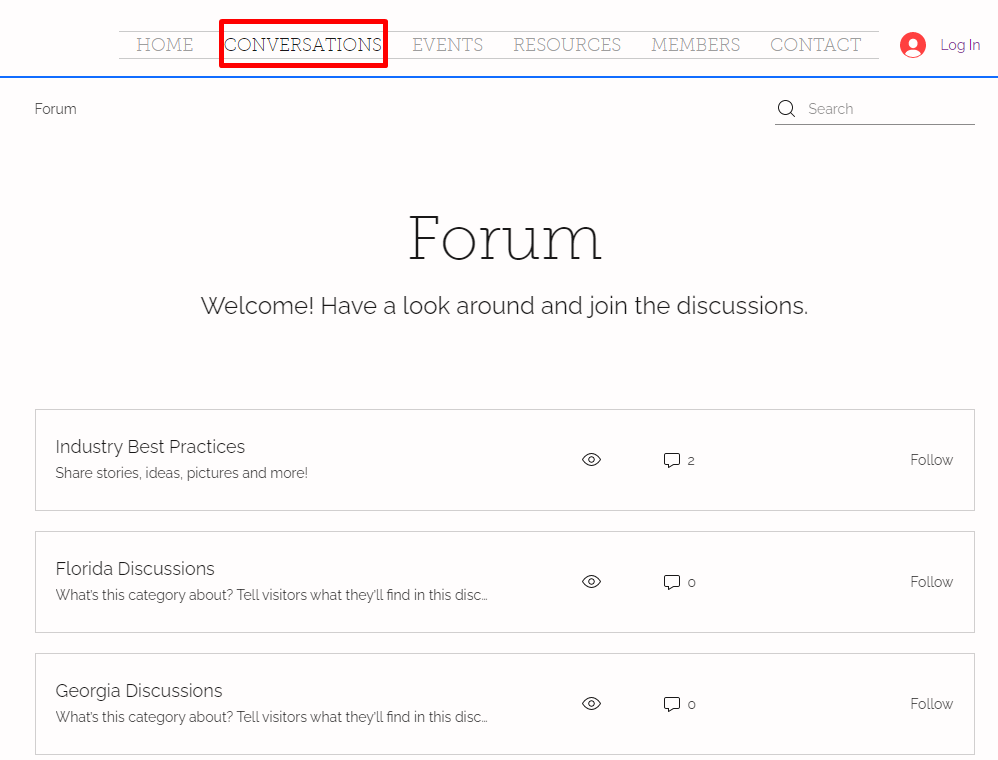
The Forum page displays a welcome message and list of discussion categories including "Industry Best Practices," "Florida Discussions," and "Georgia Discussions," each with view counts, comment numbers, and Follow buttons. The top navigation bar shows the Conversations tab is currently selected (highlighted in red), with additional menu options for Home, Events, Resources, Members, and Contact.

A poll is also available so the community can suggest new discussion topics and areas where further guidance is needed.
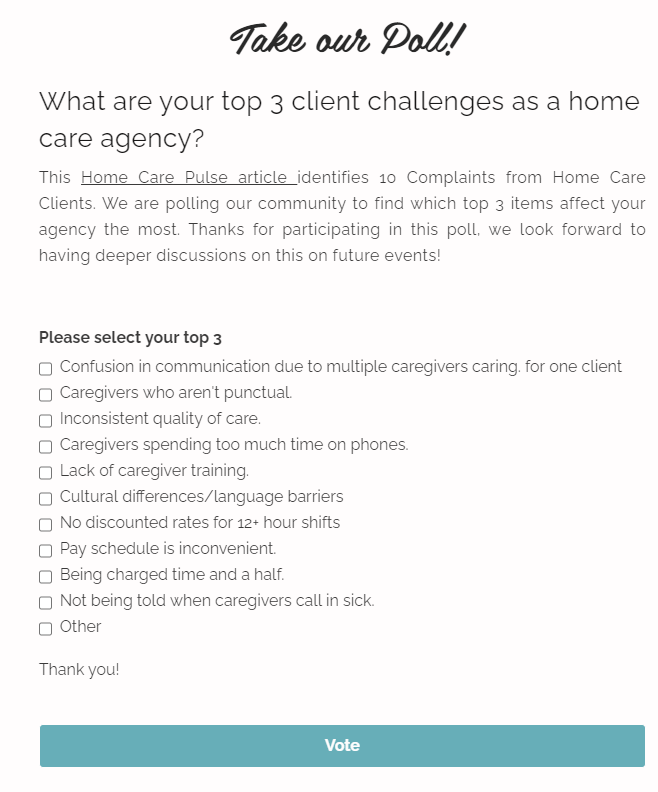
A poll titled "Take our Poll!" asks home care agencies to select their top 3 client challenges from a list of 10 options including communication confusion, caregiver punctuality, care quality, phone time usage, training gaps, language barriers, shift rates, pay schedules, billing practices, and sick call notifications, with a "Vote" button at the bottom to submit responses.

Events

The Events tab displays industry events considered relevant and valuable to the community.
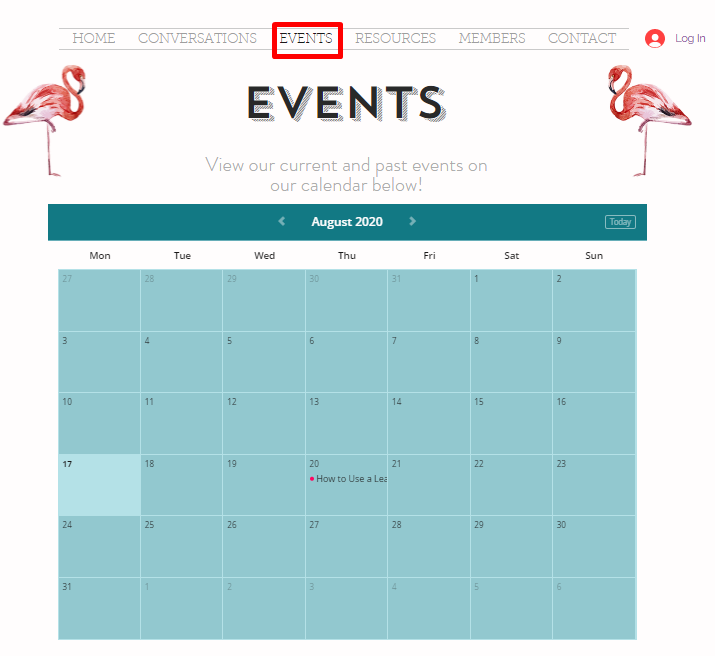
The Events page displays a calendar view for August 2020 with navigation options to view current and past events. One event titled "How to Use a Led" is visible on August 21st, with navigation arrows to move between months and a "Today" button in the top right of the calendar.

To view event details, click the event title on the day it is scheduled. A preview opens showing the description, date/time, and location.
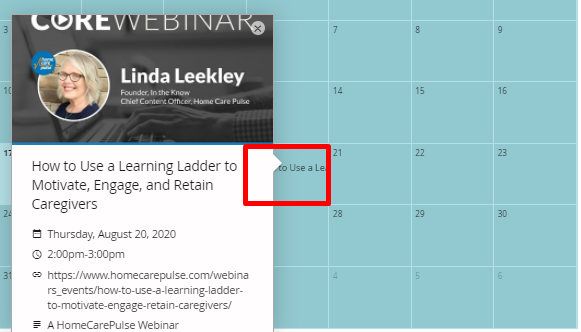
The webinar details page displays Linda Leekley's profile as the speaker for "How to Use a Learning Ladder to Motivate, Engage, and Retain Caregivers," scheduled for Thursday, August 20, 2020 from 2:00pm-3:00pm, with a calendar view visible in the background and a red box highlighting the webinar event on the calendar.

A form is provided for members to submit their own events. Once approved, submitted events appear on the community events calendar.
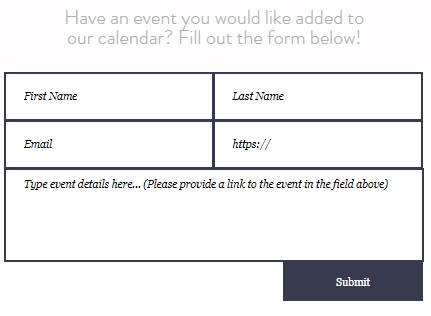
Event submission form with fields for First Name, Last Name, Email, website URL, and event details description, along with a Submit button to add events to the calendar.

At the bottom of the page, links to previous events are available. Click "view more" to access recordings of past events.
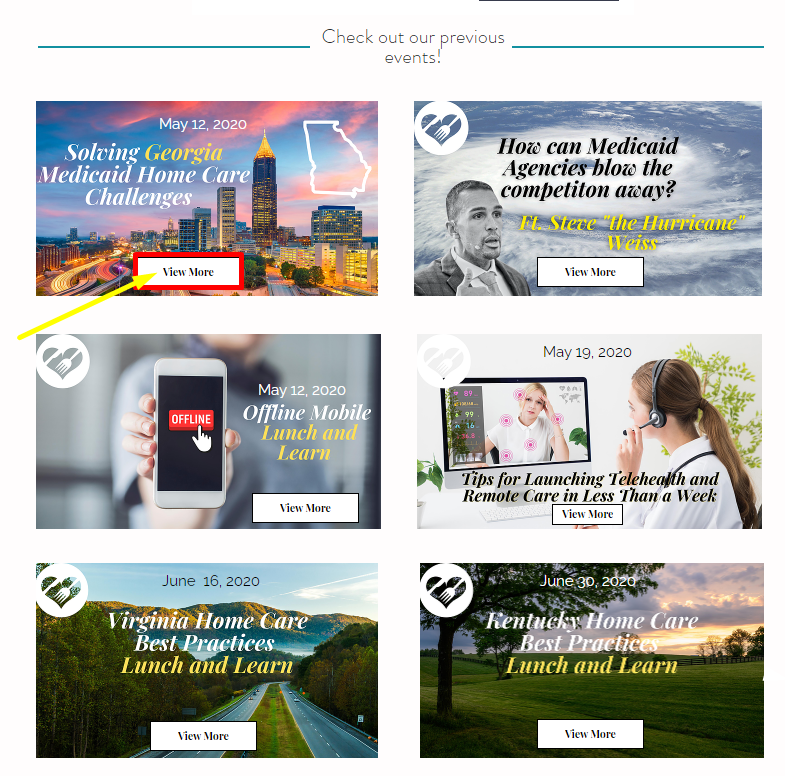
The page displays a grid of previous event cards with the heading "Check out our previous events!" Each card features an event image, date, title, and "View More" button, including events like "Solving Georgia Medicaid Home Care Challenges" (May 12, 2020), "How can Medicaid Agencies blow the competition away?" and "Online Mobile Lunch and Learn" (May 12, 2020), among others.

Resources

The Resources section contains articles, webinars, and other helpful websites. It is organized into COVID-19, industry, caregiver, and EVV resources.
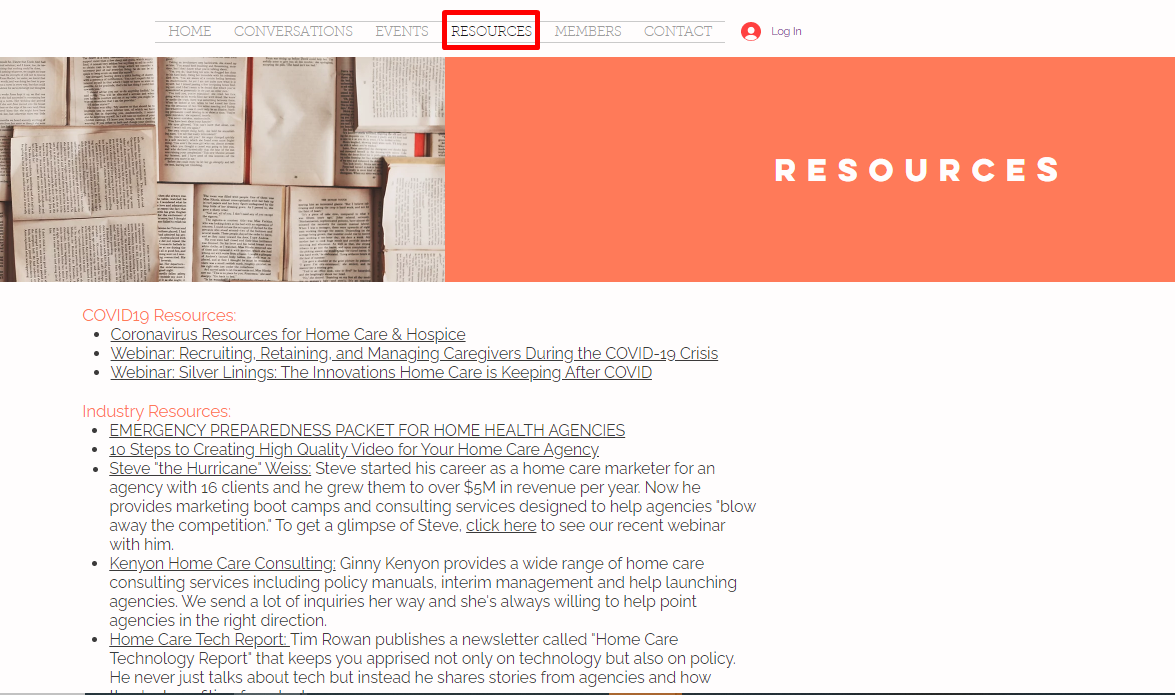
The Resources page displays two main sections of links: COVID19 Resources (including coronavirus resources for home care and hospice, and webinars on recruiting and caregiving) and Industry Resources (featuring links to emergency preparedness packets, video creation guides, and consulting services for home health agencies).

Members

The Members tab lists other members of the community. Members can follow or directly message others using the "follow" button and messaging icon on a member's profile.
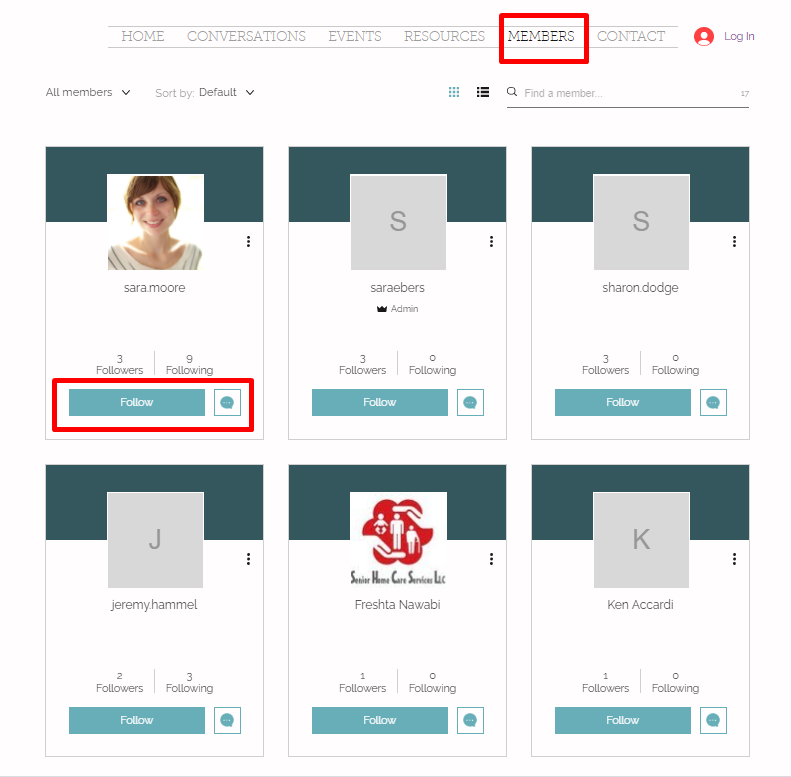
The Members page displays a grid of member profile cards, each showing a profile photo or initial, member name, follower/following counts, and a Follow button. The top card for "sara moore" is highlighted with a red border, showing the Follow button and messaging icon available on member profiles.

Contact

Sign up or log in can also be done from the Contact page on the main menu.
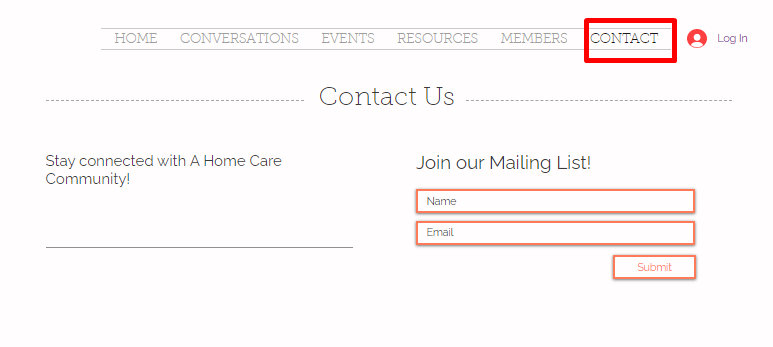
The Contact Us page displays a navigation menu with HOME, CONVERSATIONS, EVENTS, RESOURCES, MEMBERS, and CONTACT (highlighted in red) options, along with a Log In button. Below the heading "Contact Us," there is a "Join our Mailing List!" section with input fields for Name and Email and a Submit button.

Was this article helpful?
On this page