Preventing Caregiver/Client Assignments ("Banning" Assignments)
Overview
From time to time, you may wish to limit client/caregiver assignments ("banning" a relationship). This ensures a caregiver can't be assigned to a client, and vice versa. This feature is available on the client's main Profile page. Note this feature requires configuration in older environments; if you would like to add it, please contact Support.
Preventing Assignments
To prevent a caregiver from being assigned to a client:
- Click on Clients
- Search for a client
- Click on the client's name
- Click on the Information tab if needed (normally this is the default first tab)
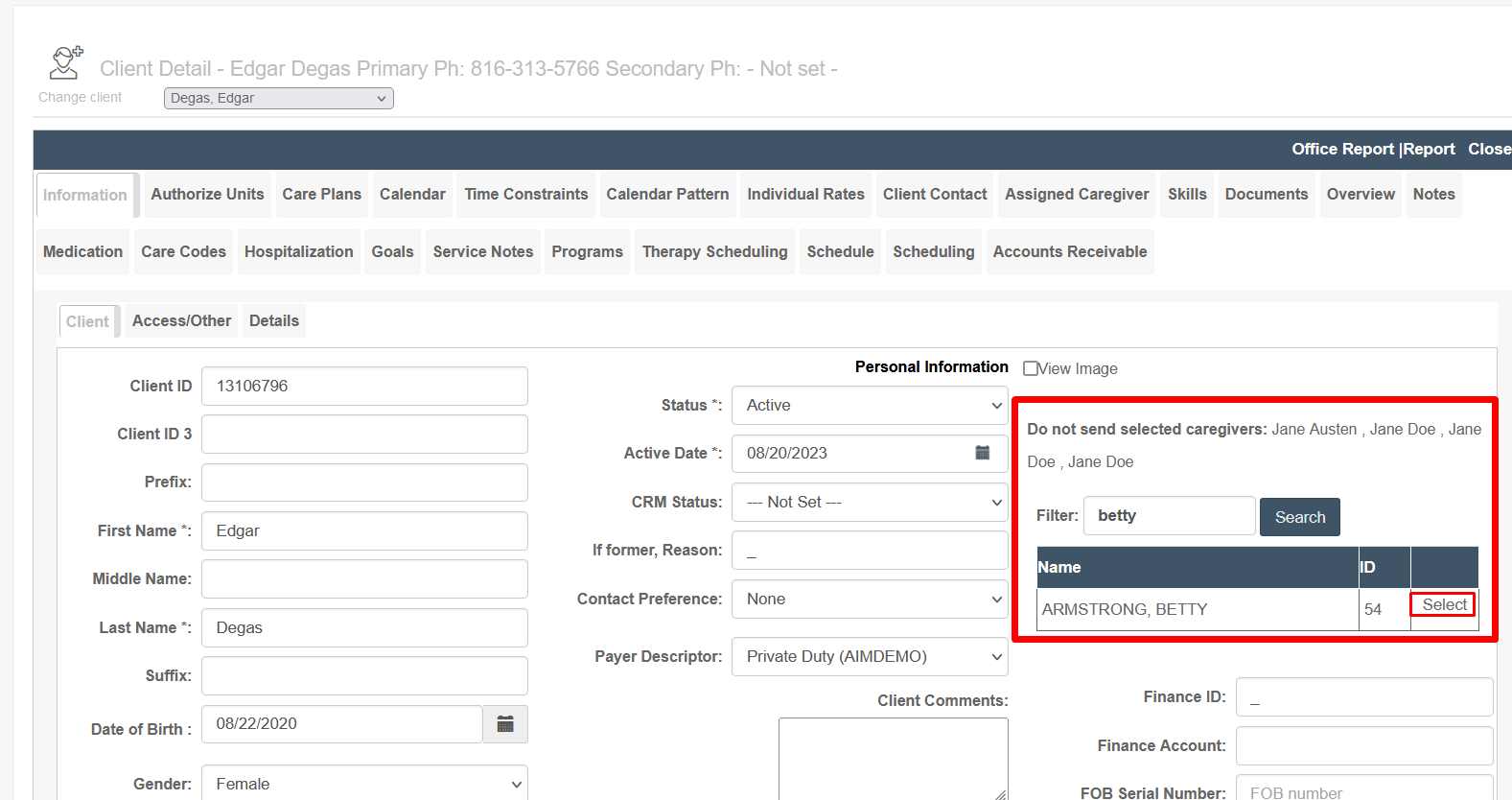
- In the Filter box, enter a caregiver name
- Click Search
- A list of names and IDs will come up
- Click Select next to the appropriate name
- The caregiver's name will now show in the "Do not send selected caregivers" list
Removing Bans
If a caregiver can once again be assigned to a client, you can adjust this by searching for the caregiver as follows:
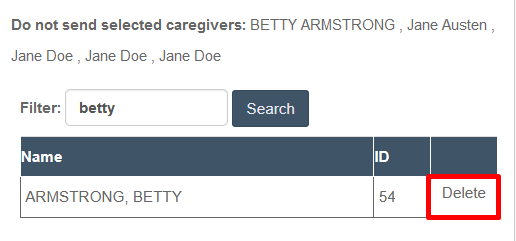
- Search for the caregiver using the Do Not Send filter
- When the caregiver comes up, click Delete
- The caregiver will be removed from the list of unassignable caregivers
Was this article helpful?