Saved Calendar Filters
Overview
Calendar filters allow viewing only the necessary information on a calendar. Filter selections can be saved and named for quick reuse. This function is turned on by request; contact Ankota support to enable it.
Saving a Filter
Once the save-as filter function is enabled:
- Go to the calendar you prefer to work on.
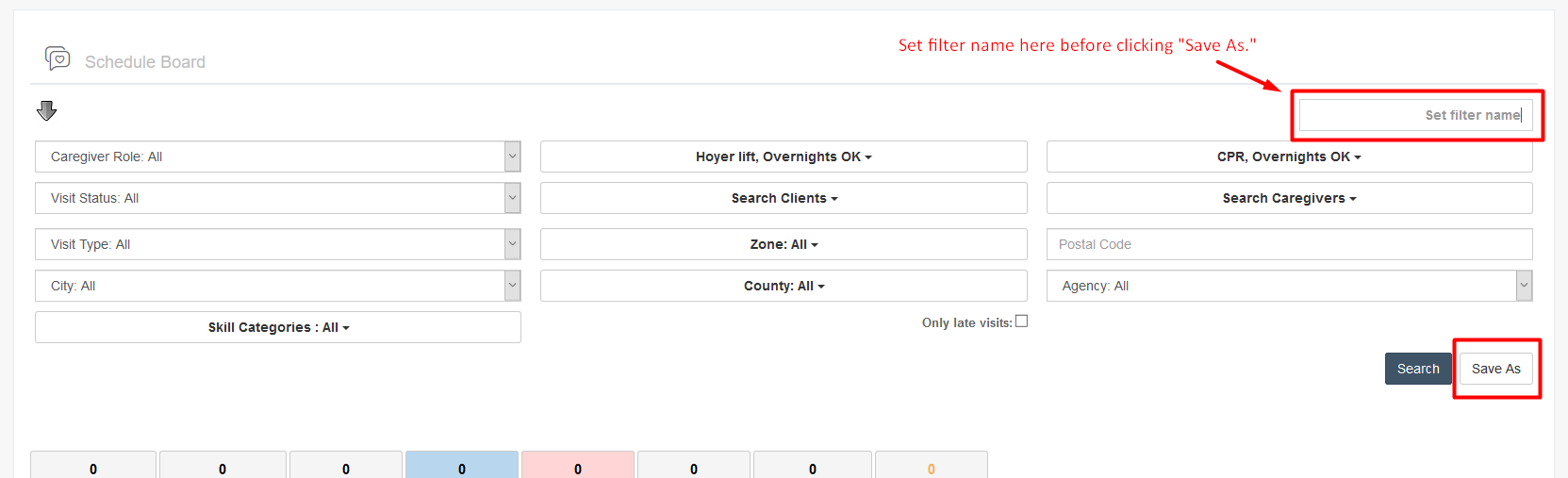
- Click the arrow to open the filtering functions.
- Adjust the filters to the desired settings.
- Name the filter in the top right.
- Click Save As.
Note: Be sure to type in the filter name before clicking Save As.
Was this article helpful?