Downloadable Payroll Reports
Overview
In order to review created invoices and payrolls, access Ankota reports. The most commonly used billing and payroll reports are outlined below.
This article includes:
- Payroll Report
- Payroll Download Report
- Visit Data Warehouse Report
Payroll Report
The payroll export, which is effectively a payroll summary, can be built through the Payroll Export button at the bottom of the Payroll Report page. To access this report, check the boxes next to the completed payrolls, then click Payroll Export.
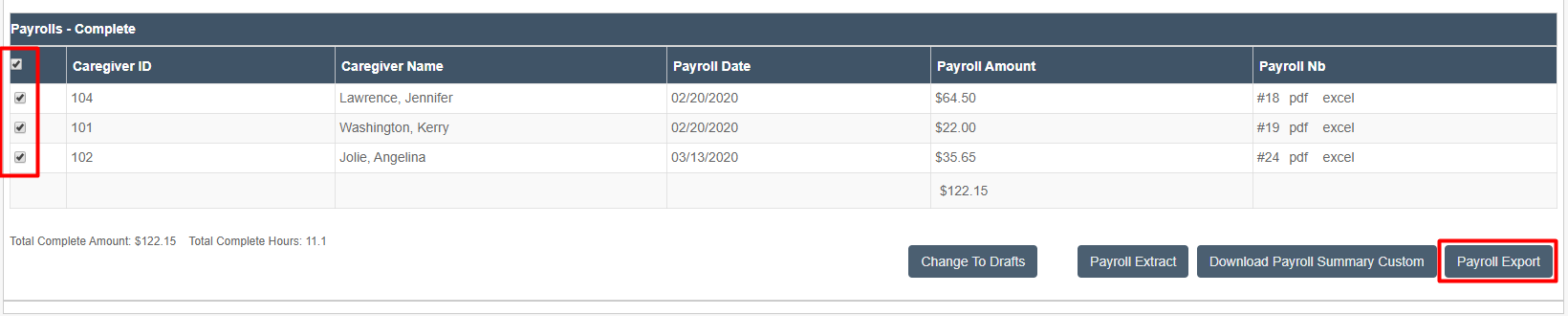
This will open the export preview.
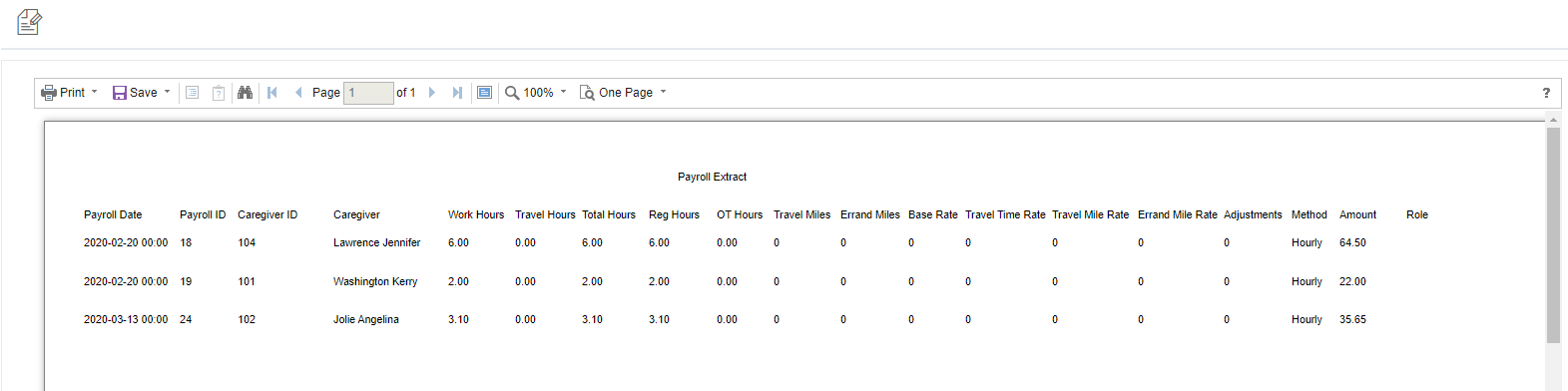
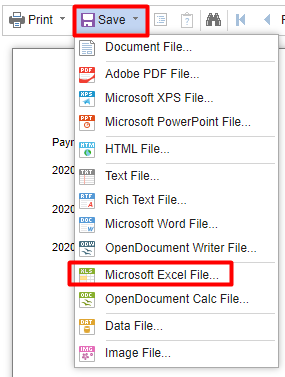
To save the file, click Save, then select the Excel option.
Payroll Download Report
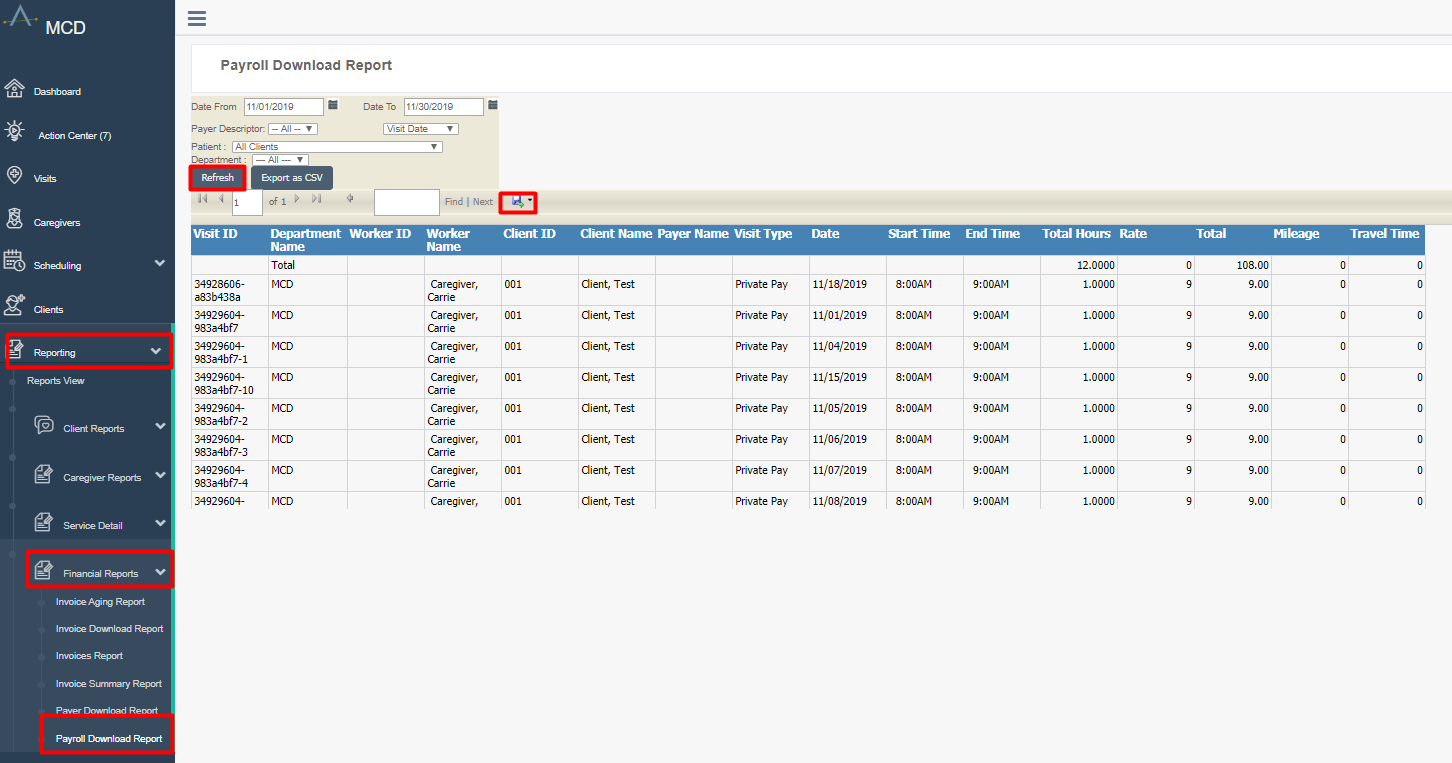
For a payroll report on a visit level, pull the Payroll Download Report.
To access the Payroll Download Report:
- Click Reporting
- Click Financial Reports
- Click Payroll Download Report
- Filter as desired
- Click the Refresh button
To save the file, click Save, then select the preferred option (typically Excel).
Visit Data Warehouse Report
In addition to the standard payroll report, more detailed visit information can be found in the Visit Data Warehouse. This report contains virtually every piece of data associated with a visit, and with the use of a pivot table, can allow for detailed analysis of an organization's data.
To access the Visit Data Warehouse:
- Click Reporting
- Click Service Detail
- Click Visit Data Warehouse
- Filter as desired
- Click the Refresh button
See also: Digging into Data Part 2: The Power of the Pivot Table for more on pivot table functionality.