Caregiver/Staff Management›Employment History

Employment History

Overview

The Employment tab of each caregiver's profile allows you to track employment history as well as reasons for their current status and notes if needed. 

This article includes the following sections:

Employment History

Status Reasons

Rates

Employment History 

Under the Employment tab, you have the option to add a start date for your new staff member by clicking the top Add button.
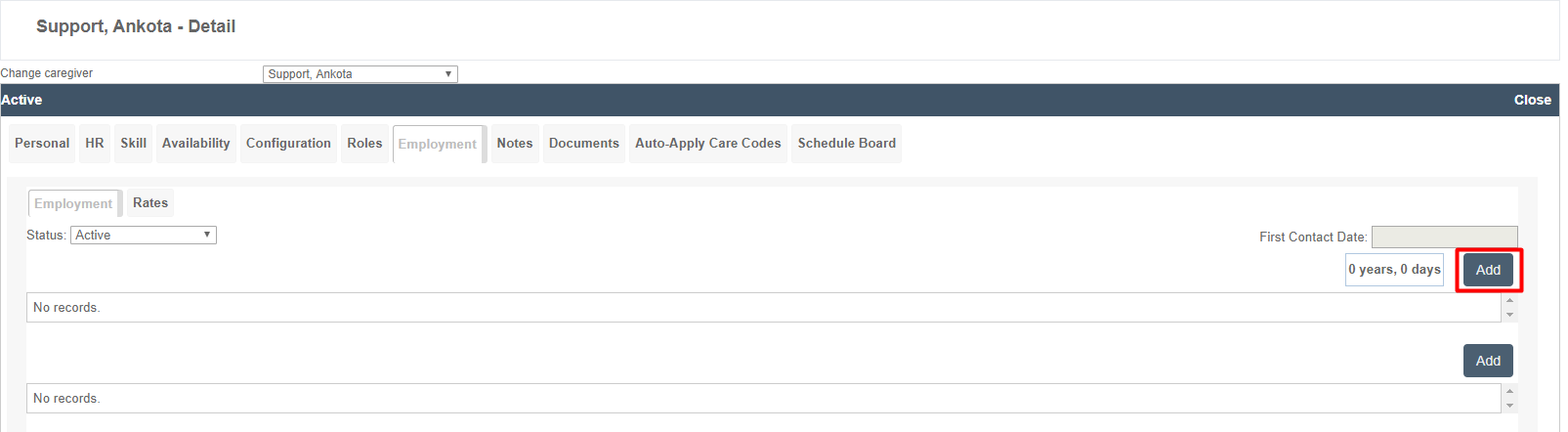
The Employment tab on the Support, Ankota - Detail page displays employment records for a caregiver, with tabs for Employment and Rates, a Status dropdown set to "Active," and fields for First Contact Date and duration (showing "0 years, 0 days"). Both the employment records and rates sections currently show "No records" with Add buttons available to create new entries.

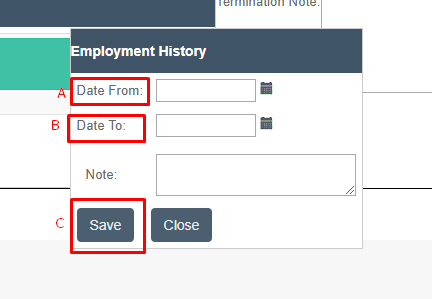
In the pop-up window that appears

  1. Date From: start date. 
  2. Date To: leave blank unless caregiver is departing
  3. Add a note if desired & save

The Employment History form displays date range fields with "Date From" and "Date To" input boxes (both highlighted in red), a Note text area for additional information, and Save and Close buttons at the bottom to submit or cancel the employment record.

This will create a new record of employment. 
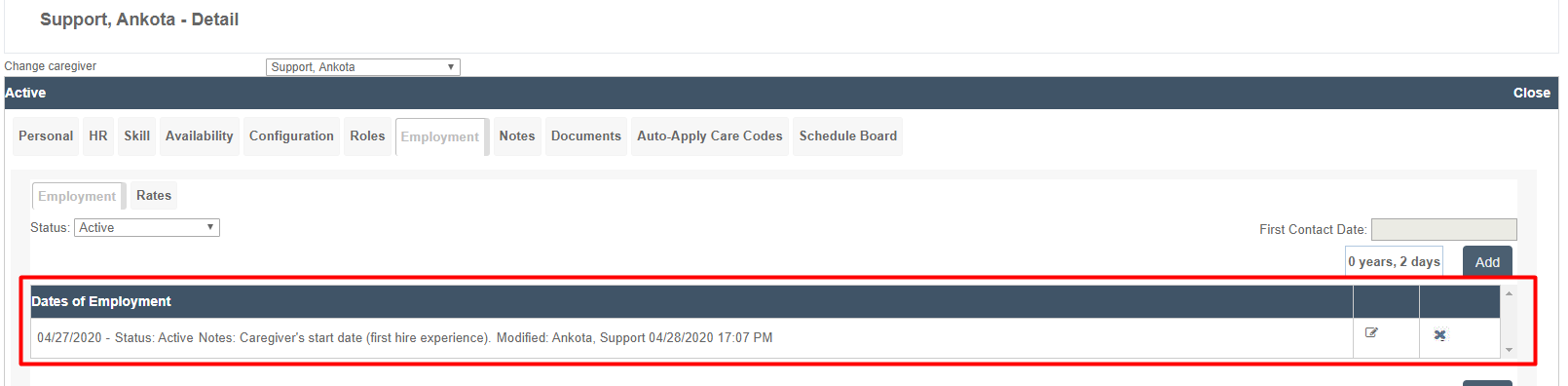
The Employment tab within the Support, Ankota - Detail page displays employment dates and status information for a caregiver. A "Dates of Employment" section shows an entry dated 04/27/2020 with Active status, noting the caregiver's start date and last modification on 04/28/2020.

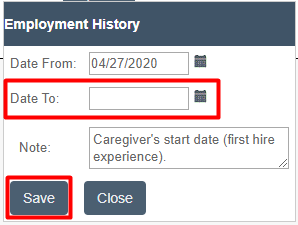
If the caregiver later departs, simply click on the edit icon and then adjust the end date.

The "Dates of Employment" section displays an employment record with start date 04/27/2020, status showing as Active, and notes indicating "Caregiver's start date (first hire experience)" with modification details showing Ankota and timestamp 04/28/2020 17:07 PM; an edit button (pencil icon) and additional options button are visible on the right.

The Employment History dialog shows date fields for "Date From" (populated with 04/27/2020) and "Date To" (empty with red border indicating required field), along with a Note field explaining "Caregiver's start date (first hire experience)," and Save and Close buttons at the bottom.

Status Reasons

Beneath the employment date is the section for Status Reasons. In this location you can select an option for the caregiver's current status. These options can be customized if desired; reach out to Ankota support for assistance on this if needed.

Rates

The rates under the employment tab are for advanced functions typically handled by an Ankota specialist. In general, rates should be set on the Personal tab.

Was this article helpful?
On this page