JazzHR
Overview
JazzHR is an integrated recruiting software for companies who require more complex management of their caregivers (particularly those who hire large numbers of caregivers every month).
Advantages
JazzHR collects far more information with a purpose-built applicant tracking system for businesses. It also allows users to automate manual tasks and connect with candidates right away, in addition to being highly configurable and including extensive HR tools, reports, and more. See this 2-minute video for a quick rundown of its functionalities, or reach out to JazzHR for a demo. This service is an additional fee, based on your level of usage and payment schedule.
Once the customer is set up with JazzHR, the admin simply logs in to JazzHR, enters the data, manages their candidates from there, and when they choose to hire a caregiver, that data will be transferred to Ankota.
Alternatives
Ankota already offers a basic caregiver form which can be used for external applicants which is native to Ankota. Ankota's standard caregiver registration page can be tailored to remove the mobile app, IVR, caregiver ID, and other internal Ankota data fields, and add fields such as education, home address, personal contacts, etc. (NOTE: the registration page must be set up by Ankota; please contact support to request this feature.)
This registration page can be made available to external applicants - in other words, caregivers won't have to log in to Ankota in order to fill out the application which will be tailored have extra fields for hiring information. Once the information is saved, the caregiver will be automatically uploaded as a Candidate in Ankota for administrative review.
The only downside is this means the caregiver registration page is no longer set up for the state's Medicaid requirements for caregiver identities. This is no problem for private pay companies, but may present a challenge for Medicaid customers.
For example, the Missouri caregiver registration page looks like this:
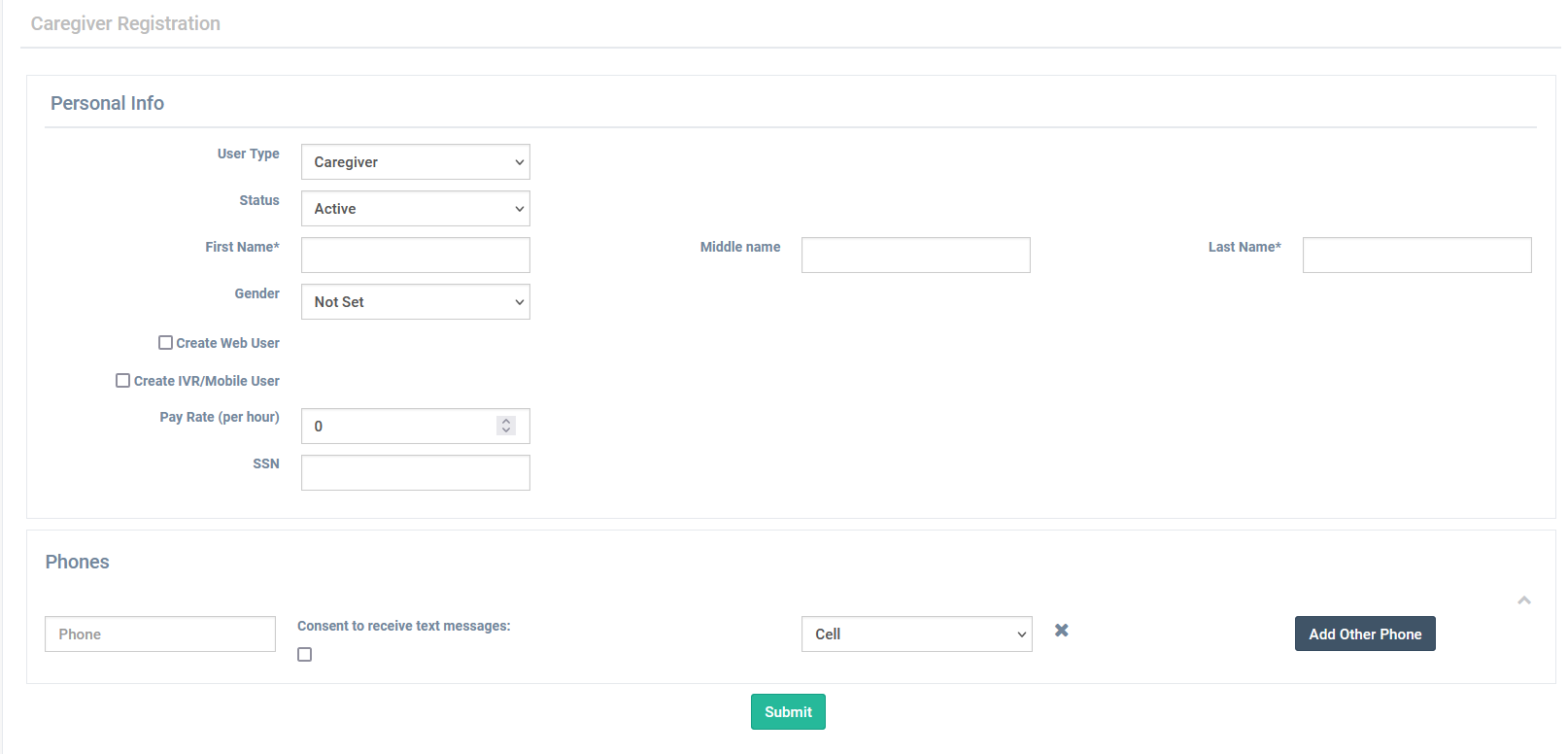
The altered form would likely have the create mobile app & IVR options removed, but would include physical address, education, and work experience.
Implementation
For pricing and/or implementation, contact support@ankota.com. (For pricing, they will put you in contact with Sales.)
Training for customers is available at https://www.jazzhr.com/onboarding/