Tracking & Managing Overtime
Overview
There are many options for overtime management in Ankota. See below for more information.
- Available Shifts Overtime Management
- Find Matching Caregivers Overtime Management
- Overtime Hours Tracking - Caregiver Schedule Board
- Overtime Hours Bill/Pay Options
Available Shifts Overtime Management
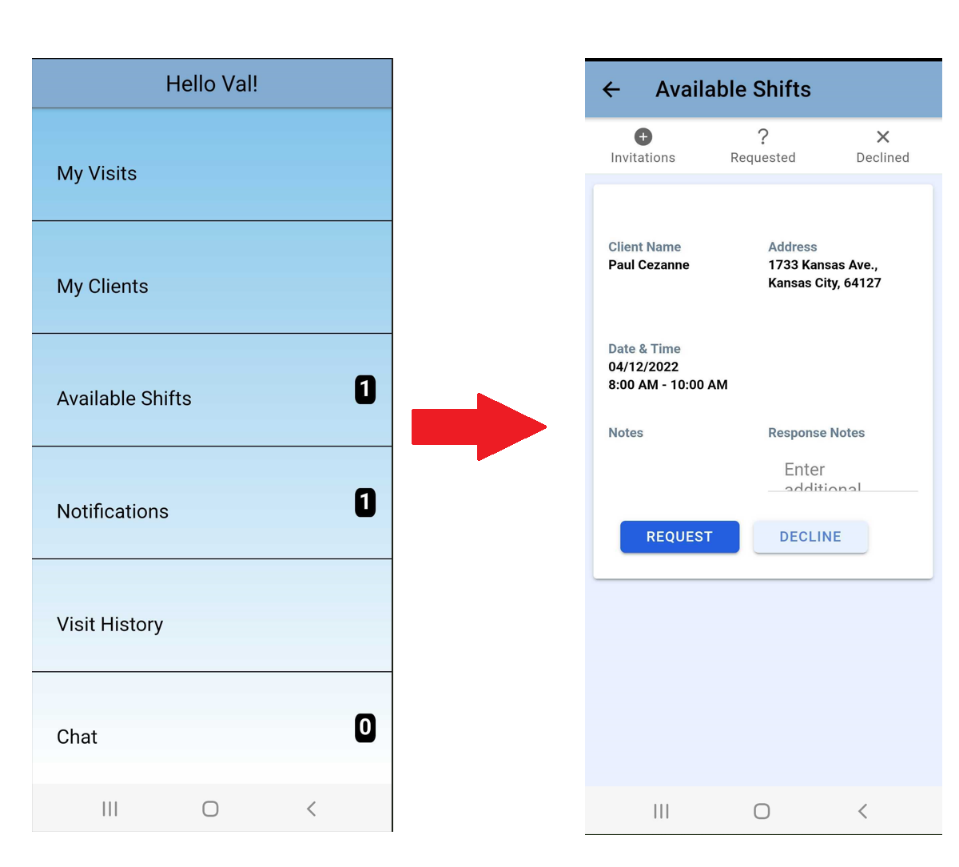
If you choose to open up the Available Shifts mobile app section to your caregivers, caregivers will be able to pick up open (uncovered) shifts. There are many options you can choose, including overtime management options.
Organizations have the option to limit available shifts as follows by request:
- Show open shifts only to assigned workers (off in newer environments)
- All caregivers can accept open shifts (defaulted on in newer environments). You cannot select both of the first two items.
- Show open shifts to workers within ___ miles (defaulted to 15 in newer environments)
- Show open shifts to workers with < ___ hours in the week (defaulted to 40 in newer environments)
- Show open shifts to workers with < ___ hours on the visit date (defaulted to 8 in newer environments)
- Show open shifts to workers for the next ___ days (defaulted to 3 in newer environments)
- Show only client's first initial, last name, and city
Find Matching Caregivers Overtime Management
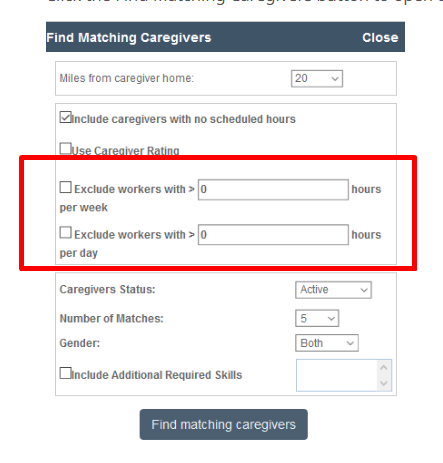
If you prefer to only offer out shifts manually (rather than automatically making shifts available through the Available Shifts section of the mobile app), Find Matching Caregivers allows you to tailor limitations in every search.
Overtime Hours Tracking - Caregiver Schedule Board
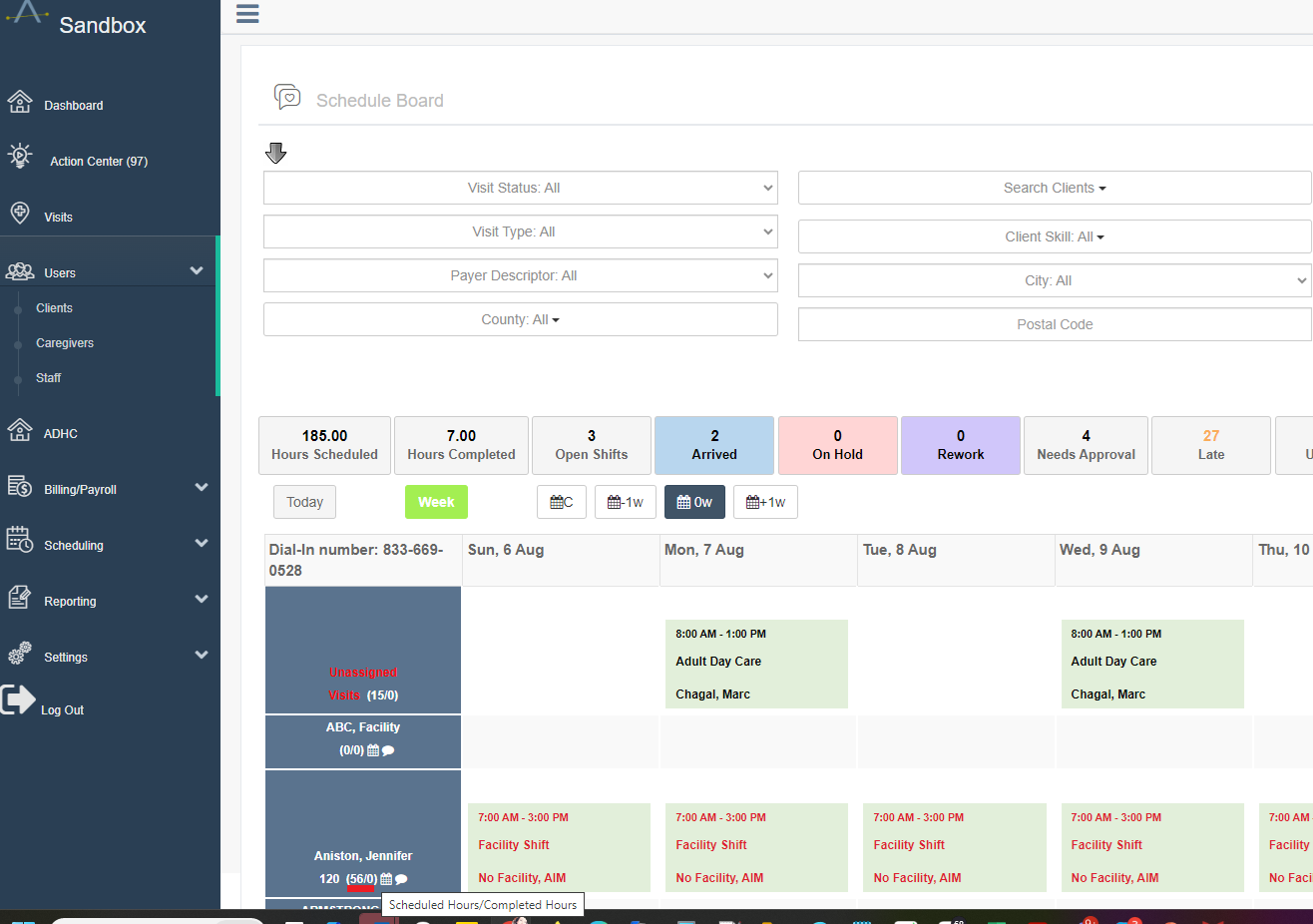
On the Caregiver Schedule Board, the caregiver's scheduled and completed hours are always visible immediately under their names for ease of reference. This is a useful way to quickly view overbooked (or underbooked) team members.
Overtime Hours Bill/Pay Options
Unique bill and pay settings are usually set through care codes. These care codes can be placed on visit types, clients, or caregivers so that the special bill or pay settings are applied. Overtime billing and overtime payment can be set up this way.
If new overtime rates need to be applied in the system, contact Support for assistance in creating and applying unique care codes.