Caregiver/Staff Management›Two-Factor Authentication for Mobile App Caregiver Log-in

Two-Factor Authentication for Mobile App Caregiver Log-in

Overview

Some organizations wish to require two-factor authentication during the mobile app log-in.

This option is available by request from Support.

Functionality

Once set up, two-fact authentication works as follows:

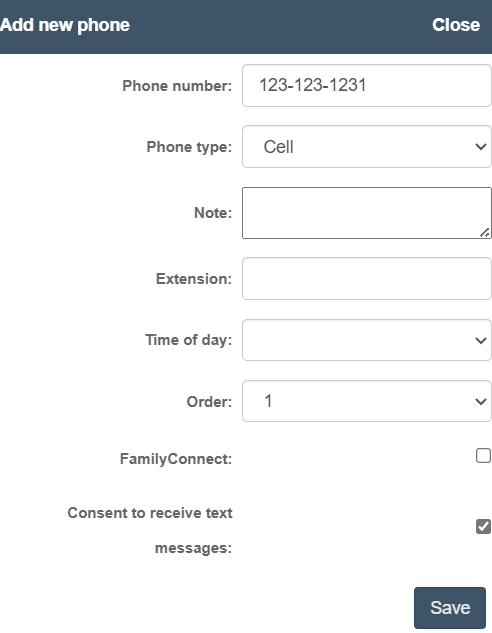
The "Add new phone" dialog displays a form to register a phone number with fields for phone number (123-123-1231), phone type (Cell), note, extension, time of day, order, FamilyConnect checkbox, and a "Consent to receive text messages" checkbox that is checked, with a Save button at the bottom.

-   During log-in, caregivers will enter their username and password as usual
    -
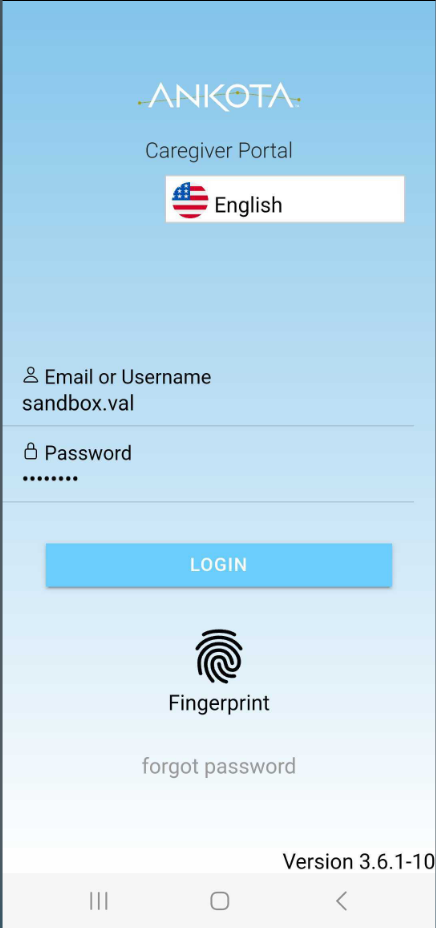
The Ankota Caregiver Portal login screen displays an English language selector, email/username field populated with "sandbox.val", a password field, a blue LOGIN button, and alternative authentication options including Fingerprint and a "forgot password" link.

-   Then they will receive a text message with a code
    -
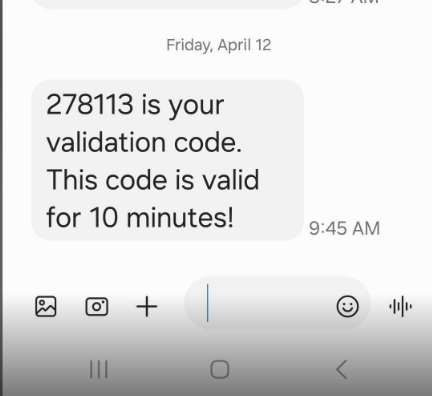
A text message displays a validation code (278113) that is valid for 10 minutes, shown as received on Friday, April 12 at 9:45 AM. The message appears in a messaging app interface with media attachment options and emoji reaction buttons visible at the bottom.

-   That code must be copied from the text message and entered in the Code box within the Ankota App
    -
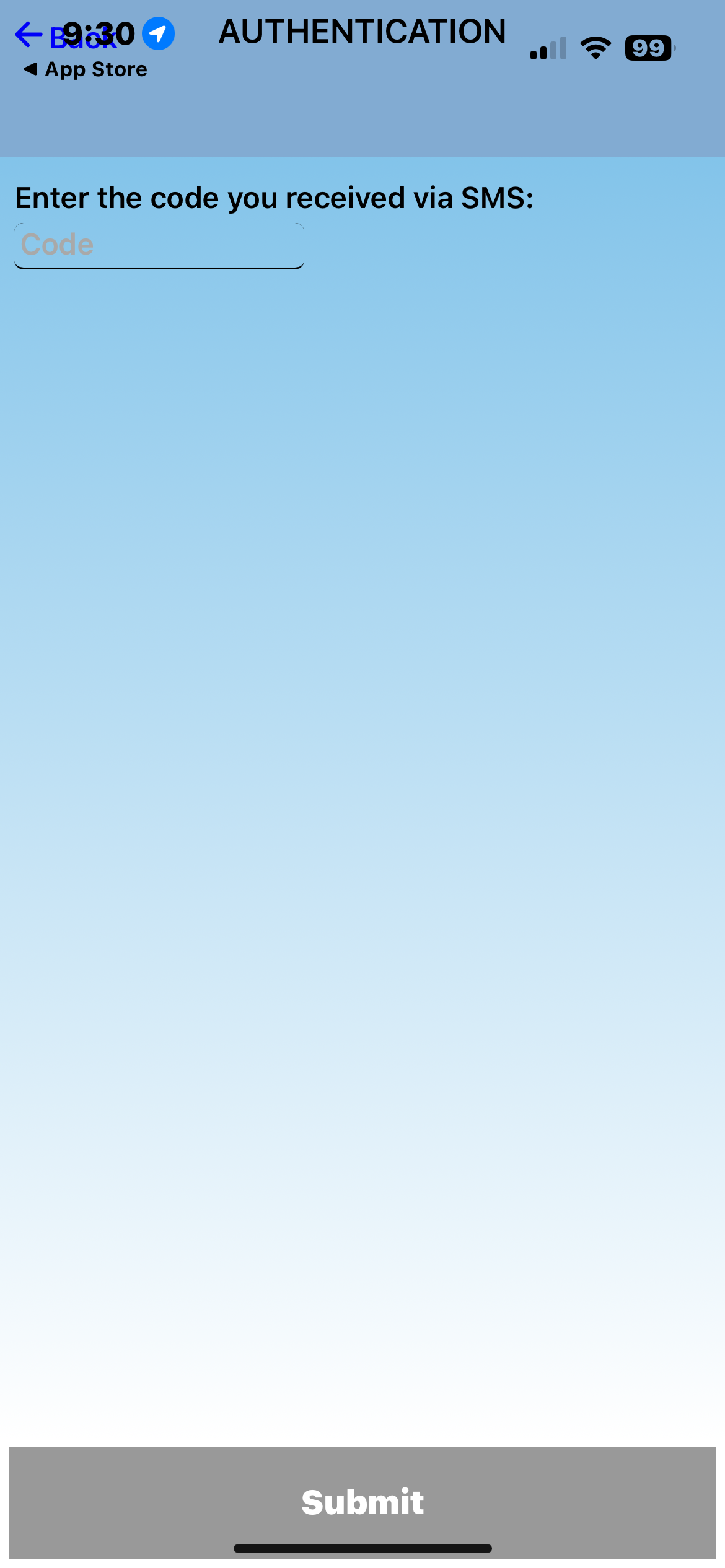
The Authentication screen displays a text input field labeled "Code" where users can enter the SMS verification code they received, with a Submit button at the bottom to confirm the code entry.

-   Then the user can work in the mobile app as usual
    -
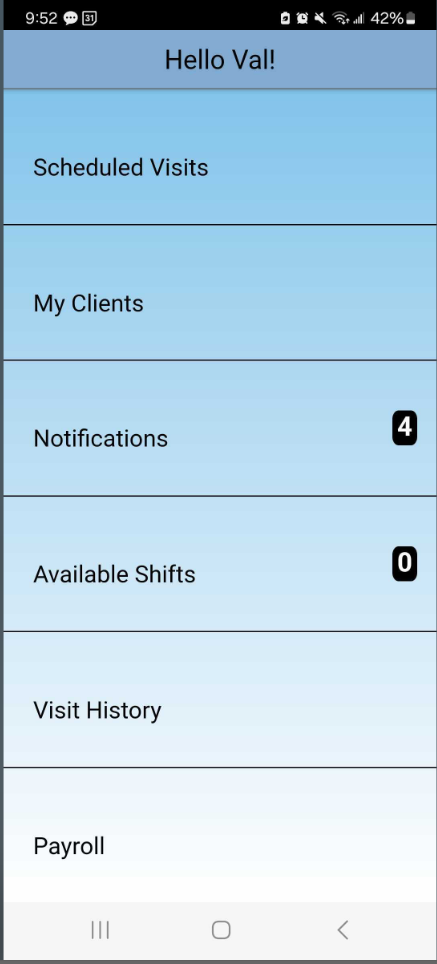
Mobile app home screen displaying a personalized greeting "Hello Val!" with a menu of six main options: Scheduled Visits, My Clients, Notifications (showing 4 unread items), Available Shifts (showing 0), Visit History, and Payroll.

If the caregiver receives an error message, please double check that the caregiver's phone number is under their profile, set to cell/mobile, and consent to receive text messages is checked.

Was this article helpful?
On this page