Caregiver/Staff Management›Caregiver Expense Reporting

Caregiver Expense Reporting

Overview

Caregivers can provide expense reporting, which automatically creates an adjustment (a separate, billable line item) to be charged to the client on their next invoice. Caregivers can also upload receipts to verify purchases, which can in turn be flagged in the Visit Approval Dashboard for review. 

This article includes:

The Caregiver Viewpoint

Expense Reporting

Receipt Reporting

Administrative Visit Approval Dashboard Review

The Caregiver Viewpoint

Expense Reporting

Expense reporting, once turned on, will appear in the mobile app like the following:
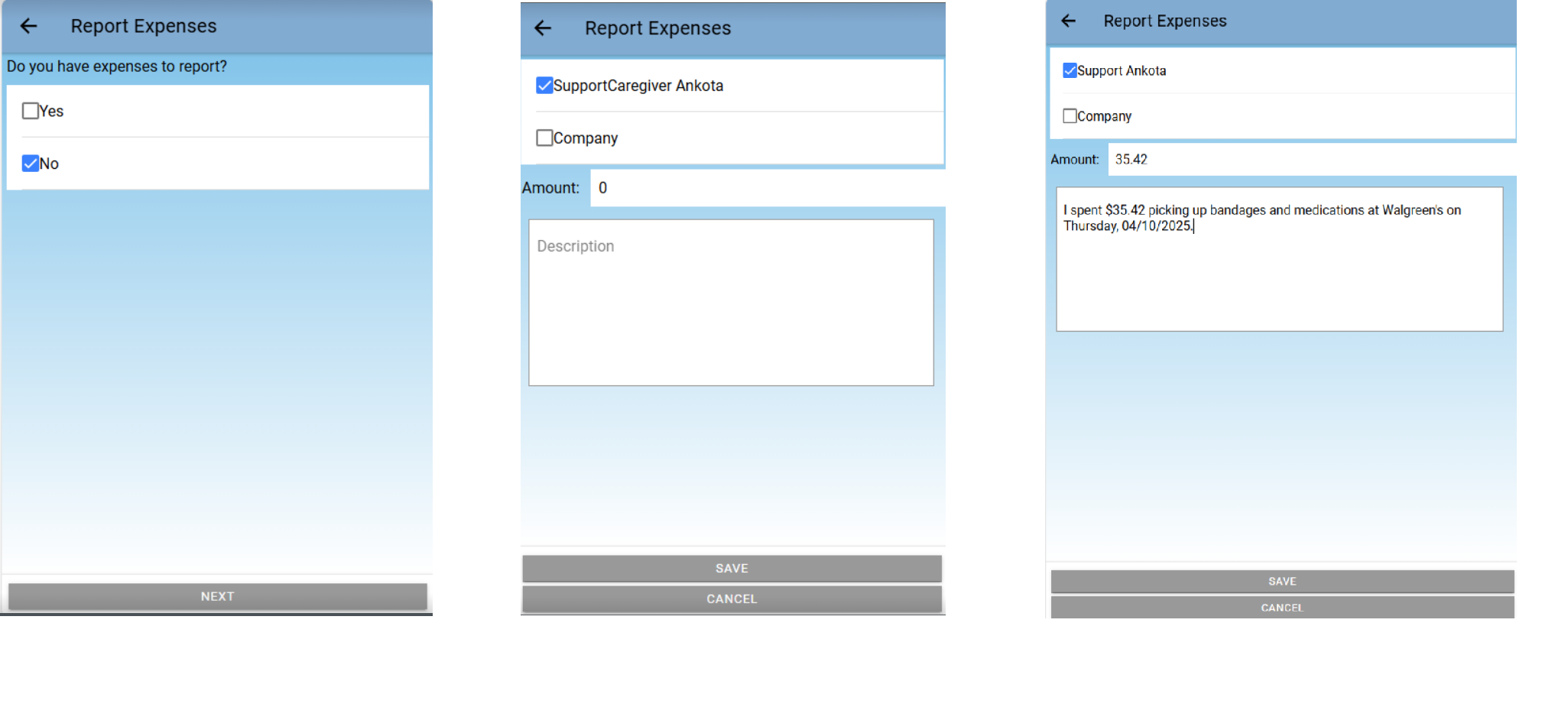
The Report Expenses screen shows three variations of the expense reporting form: the initial yes/no question about having expenses to report (left), the expense entry form with SupportCaregiver Ankota selected and an empty amount field with description box (center), and a completed expense entry showing $35.42 for Walgreens bandages and medications on 04/10/2025 (right). Each form includes checkboxes for selecting the expense category, an amount field, a description area, and SAVE/CANCEL buttons at the bottom.

Receipt Reporting

When caregivers report an expense, the general expectation is they will upload the corresponding receipt in the same visit with the mobile app. 

To upload a photo, simply click the Upload Photo button during clockout. For further details, click here.
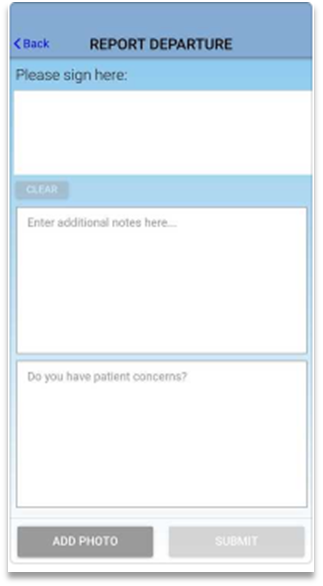
The "Report Departure" screen displays a form with a signature area at the top labeled "Please sign here," followed by a "CLEAR" button, a text field for additional notes, and a section to document patient concerns. At the bottom are "ADD PHOTO" and "SUBMIT" buttons.

Administrative Visit Approval Dashboard View

Once expenses have been entered by a caregiver and the visit is approved, an adjustment will be built and made available during the Calculate Billing step. 
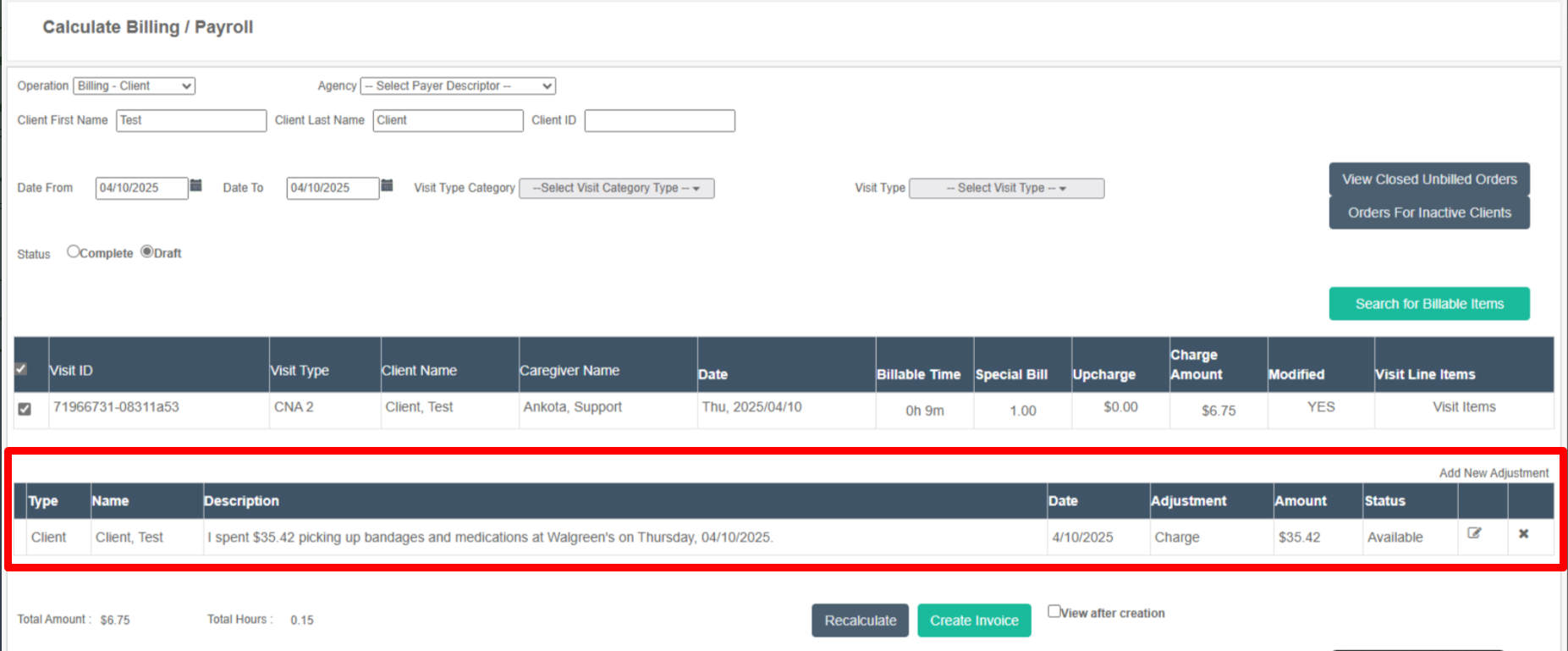
The Calculate Billing / Payroll screen displays a form to filter and manage client visits and charges, with fields for client information, date range (04/10/2025), visit type, and status selection. Below the filter section is a table showing visit details including Visit ID, Visit Type (CNA 2), Client Name (Client, Test), Caregiver Name, Date, Billable Time, and Charge Amount ($6.75), with an expandable "Visit Line Items" link; a separate adjustments section shows a client charge of $35.42 for supplies purchased on 4/10/2025 with status "Available."

Was this article helpful?
On this page