Caregiver/Staff Management›Caregiver Profile Notes

Caregiver Profile Notes

Overview

In addition to being able to create and send notes to caregiver and client profiles from the Action Center, notes can also be added directly into caregiver and client profiles. See below for further details on this process.

Creating Notes from Caregiver Profiles

Caregiver notes function similarly to client notes. On the caregiver's profile page on the Notes tab, click Create New Action to add a note. You may tag this note if desired. (Some of the most commonly used tags include Compliment, Concern, and Late.)
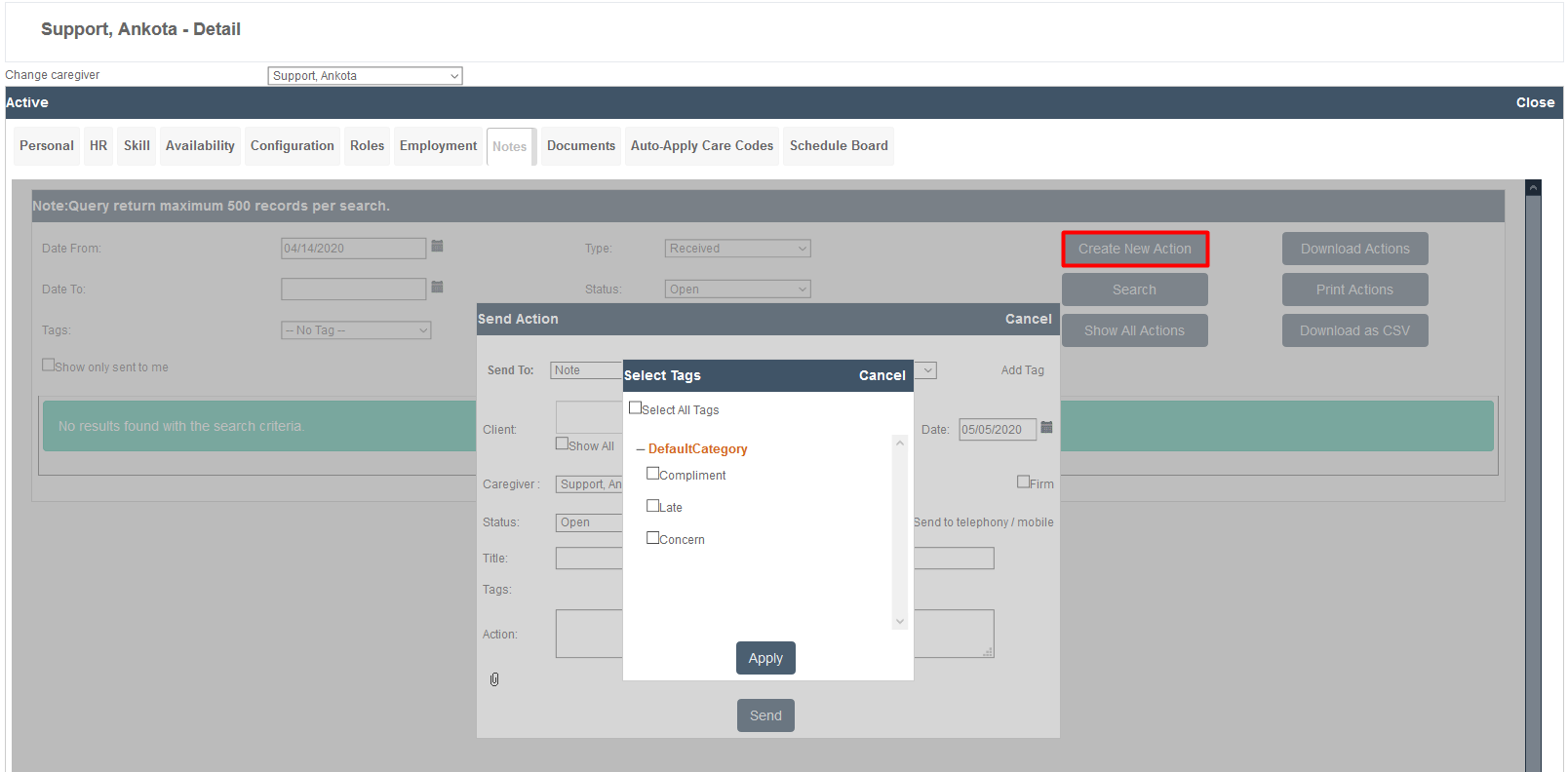
The Support, Ankota - Detail page displays a caregiver profile with multiple tabs including Personal, HR, Skill, Availability, and others. A "Select Tags" dialog box is open showing tag options (DefaultCategory, Compliment, Late, Concern) with checkboxes, an Apply button, and a "Send Action" form in the background with fields for sending notes to the caregiver.

Once you select a tag, the Send To: action of Note will be pre-selected along with the name of the caregiver whose profile you are in. If you added a tag, the title will also be pre-filled. Simply choose a status, add a note in the Action field, and send. Remember, notes in the status of Open will copy to the Action Center. If desired, you may also copy a client to add that information to the client's note history.
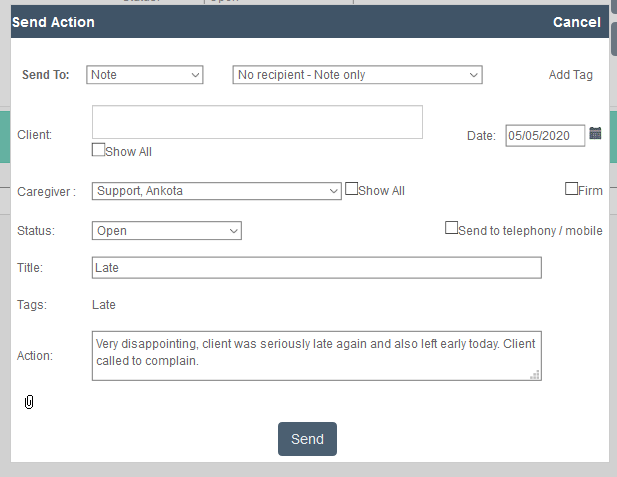
The Send Action dialog allows users to create and send notes or actions related to a client's caregiver profile. The form includes fields for Send To (set to "Note"), recipient selection, Client name, Date (05/05/2020), Caregiver (Support, Ankota), Status (Open), Title (Late), Tags (Late), and Action details, with a Send button at the bottom to submit the action.

The unique aspect of Caregiver notes is the ability to download them as a .pdf or .csv (excel) file. This function can be extremely useful during annual reviews, or to address recurring issues, such as lateness. 
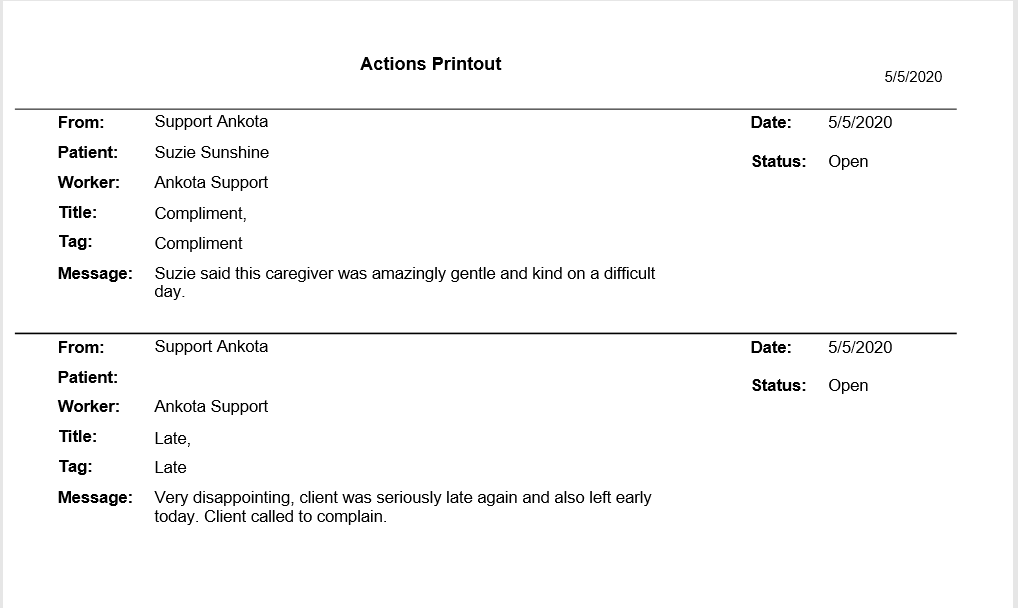
This is an Actions Printout page showing two action items from Support Ankota dated 5/5/2020, each with fields for From, Patient, Worker, Title, Tag, Message, Date, and Status. The first action is a compliment noting that patient Suzie Sunshine praised a caregiver's gentleness, while the second action is a complaint about a client being late and leaving early.

Was this article helpful?
On this page