Spend Down Functionality in Ankota
Overview
For CDS clients, the consumer is directing the care. In the case where spend down is required, the client is responsible for a dollar amount per month. The agency must still document the visits affected by the client's spenddown, but they cannot bill them. They must also use a spenddown report to report the clients' spending for some states. In addition, agencies cannot bill visits in different months at the same time.
Outside these fundamental rules, spend down is highly variable amongst both states and agencies. (See your state's recommendations for preferred spend down practices.) For this reason, while Ankota does not recommend any single spend down approach, the system can accommodate many spend down approaches. Three of the most common approaches are outlined below.
Visit Cancellation
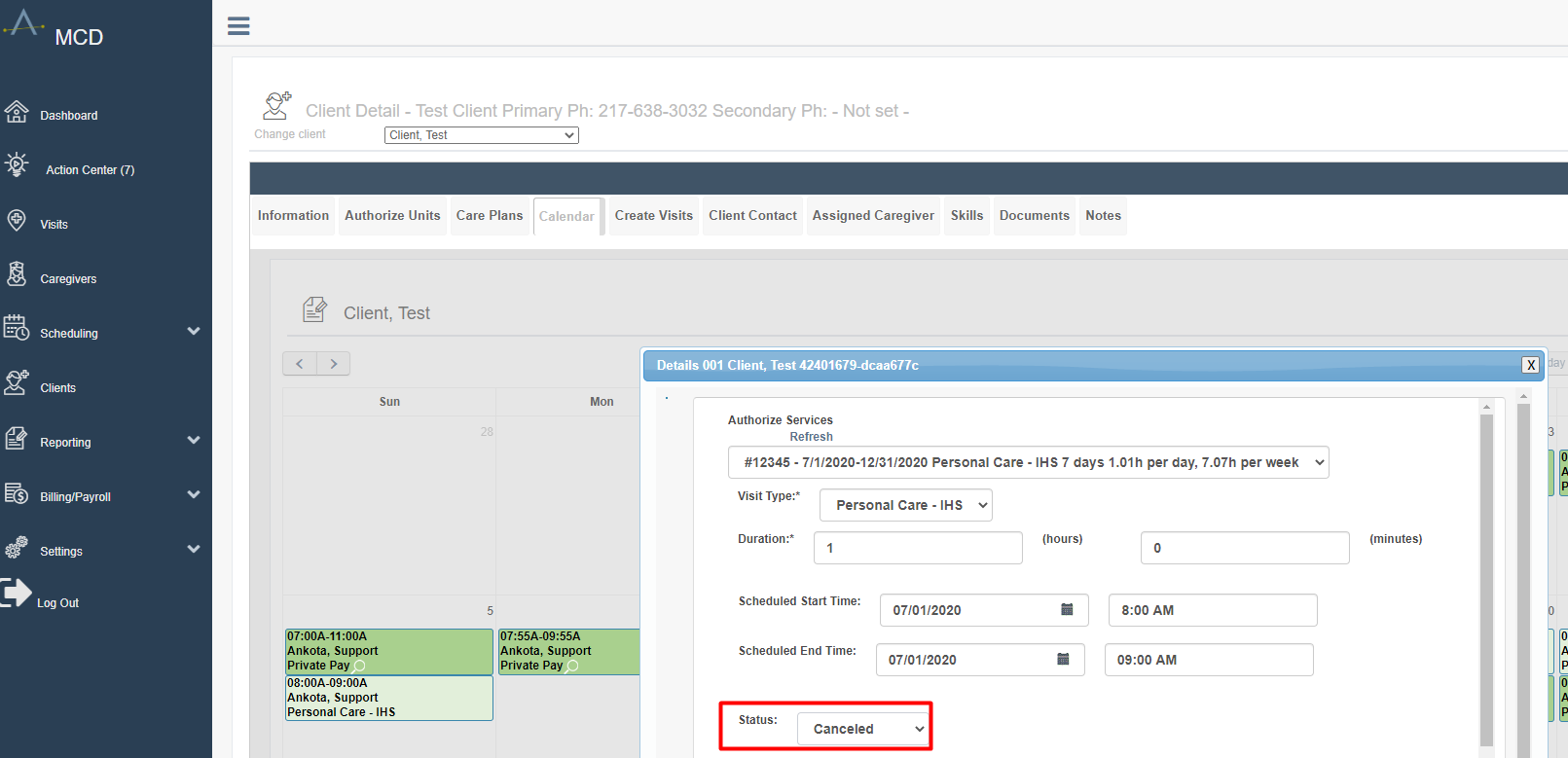
One option for spend down management is simply to cancel the unbillable visits. By cancelling these visits, you retain the EVV information in the system, but these visits will not be billable or payable in the system.
Mark Visits as Never Bill, Never Pay
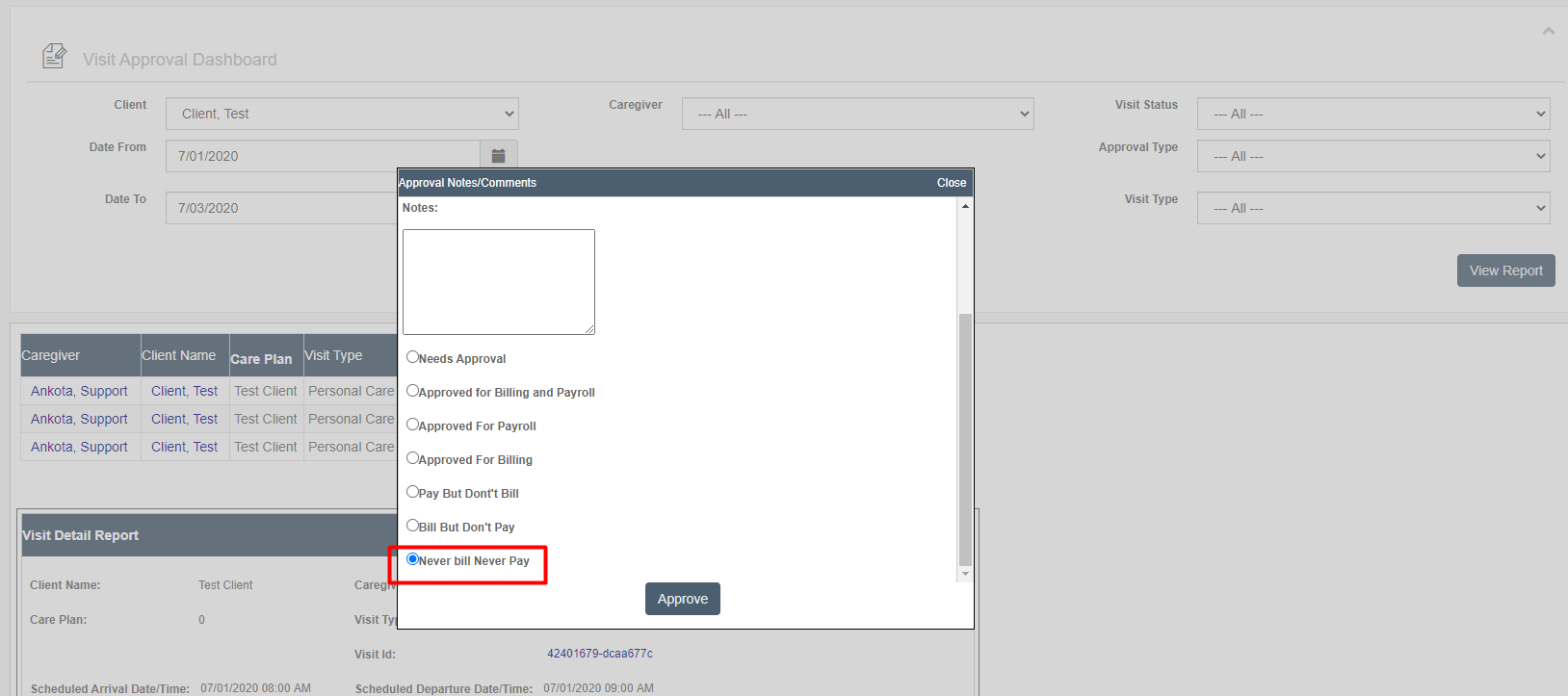
Another option is to mark these visits as Never Bill, Never Pay using the Visit Approval Dashboard. In the example below, the visits from 7/1 and 7/2 were marked as Never bill, Never Pay for Test Client.
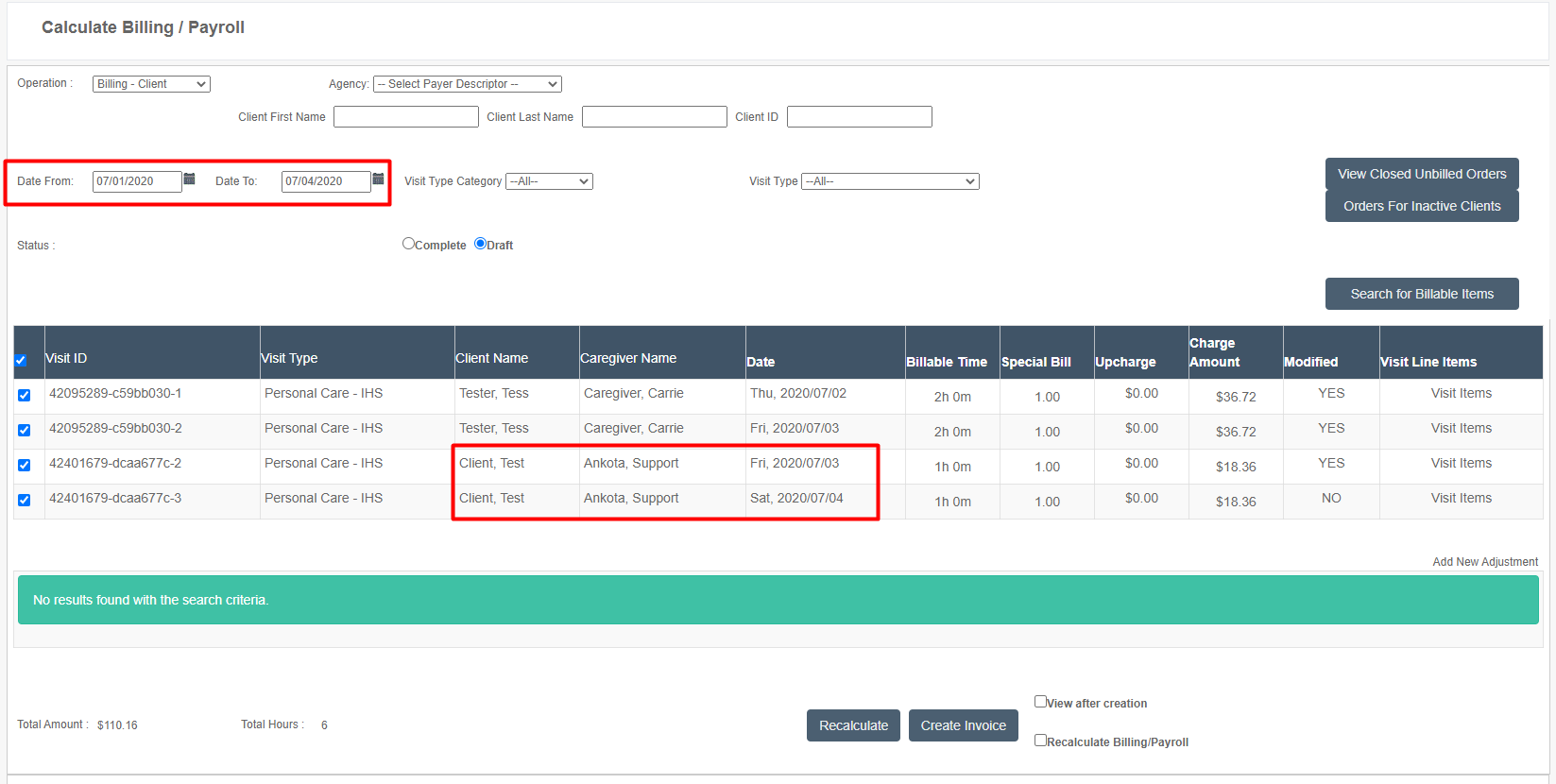
This action ensures these visits are not billable or payable when calculating billing or payroll. In the example below, the visits from July 1st and 2nd did not come up as billable items when calculating billing for that period. Only visits from 7/3 and 7/4 came up for the period of 7/1-7/4.
Tagging & Filtering (Requires Configuration)
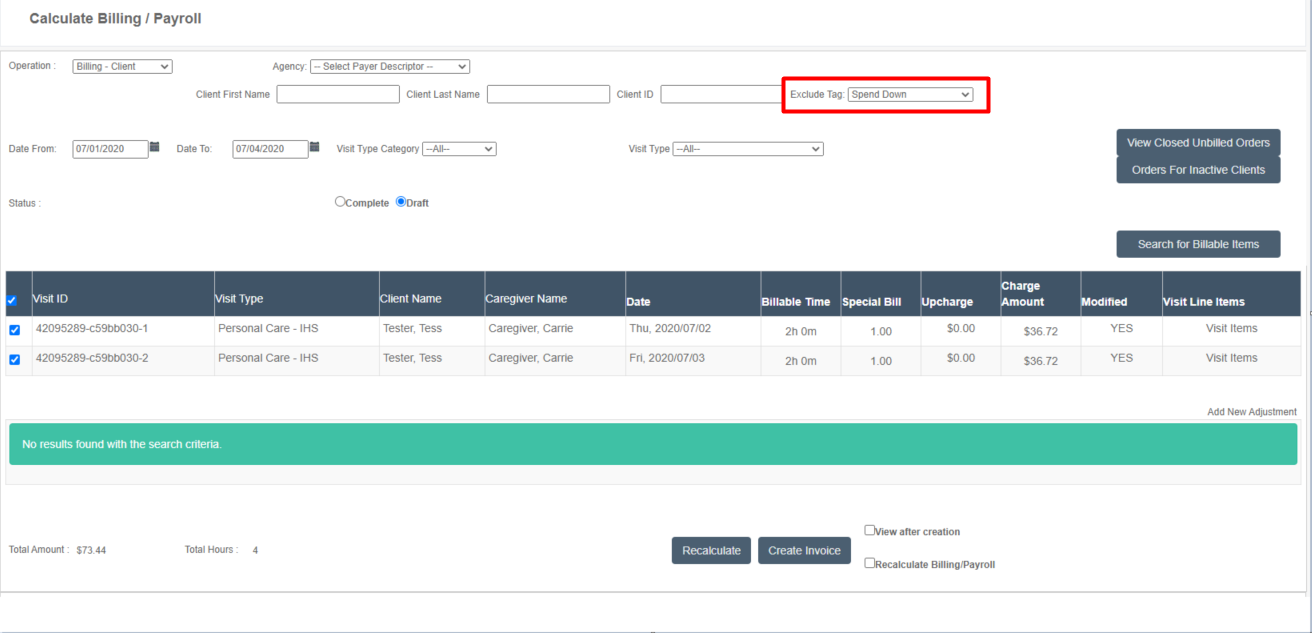
A third option is to manually skip invoicing the days affected by spend down. Using a tag system, you would exclude spend down clients when calculating billing, then bill them individually. Then, when billing them individually, you would exclude the appropriate visits from the invoice.
: The tagging method of spend down management does require the creation of the tag and the configuration of the Exclude Tag filter on the Calculate Billing page. You will need to reach out to an Ankota specialist or the Support team to request this functionality.
For example, here is the first round of billing, where Spend Down clients were excluded when calculating billing for 7/1-7/4:
And here is the second round, where the Spend Down client is individually selected and billed only for the two billable July days that week, 7/3 and 7/4: