Staff Check-in/out (Adult Day Health Care Kiosk)
Overview
Some organizations require staff check-ins. This allows caregivers to clock in and out of the facility via the kiosk rather than using a separate mobile app.
Organizations will direct staff as to whether to use the Scheduled staff check-in process or the Unscheduled staff check-in process. Follow only the appropriate section.
Log-in
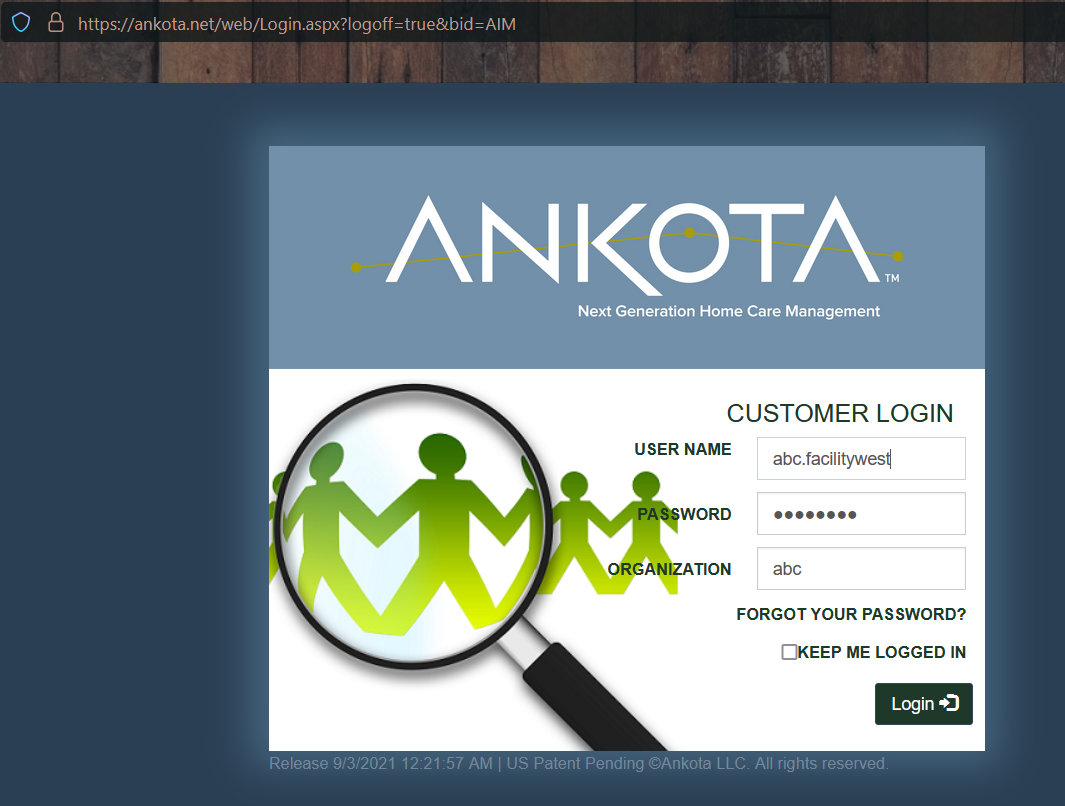
To log in and access the client kiosk:
- Go to ankota.net
- Enter user ID, password, and organization name (as assigned by the administrator)
Unscheduled Staff Check-in
To access unscheduled staff check-in:
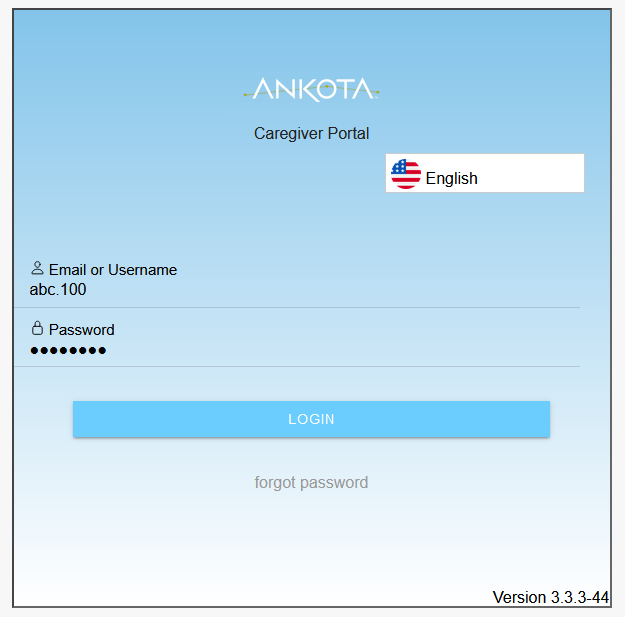
- Log in using the individual log-in (not the facility manager log-in), such as
abc.100
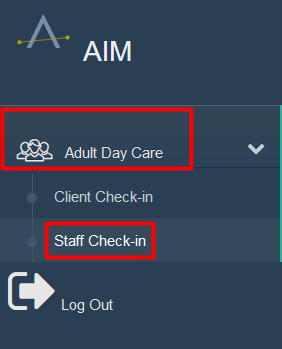
- Click Adult Day Care
- Click Staff Check-in
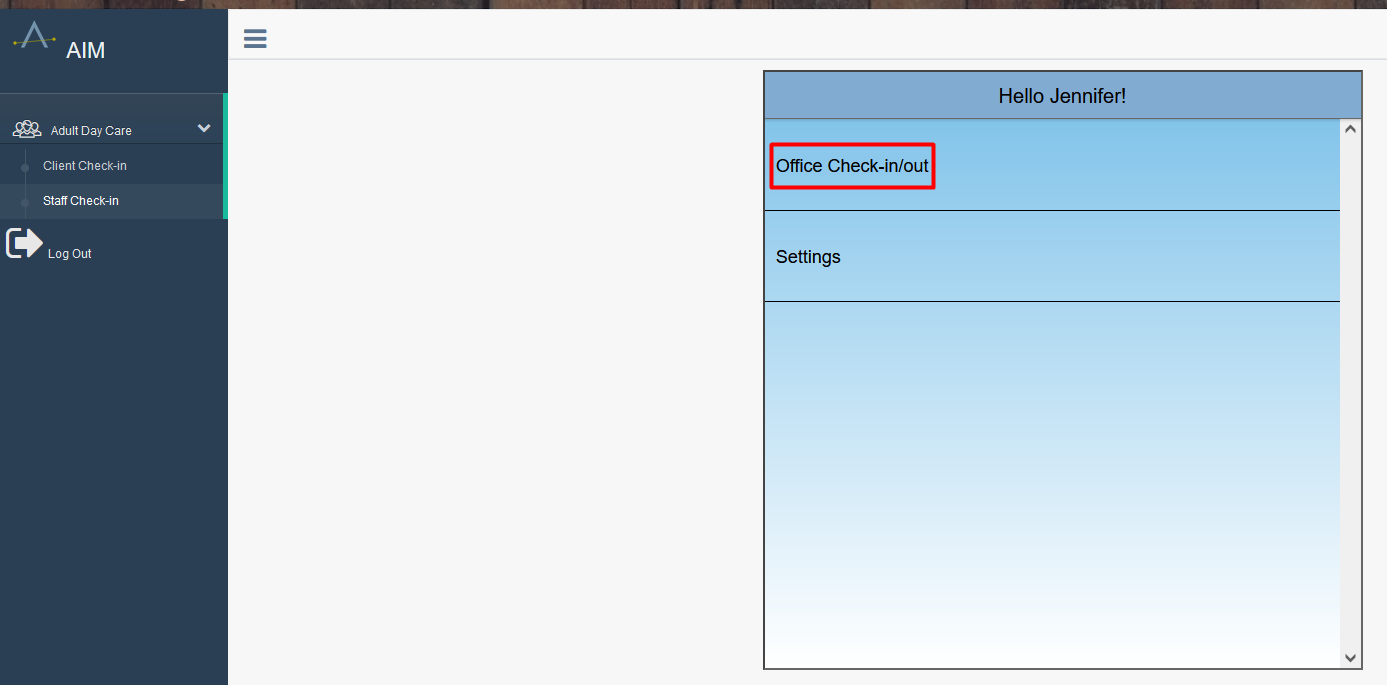
- Click Office Check-in/out (the organization's check-in page name may vary)
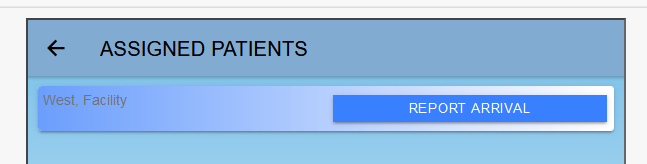
- Click the name of the facility being clocked into
- Click Report Arrival
- Click Accept Time
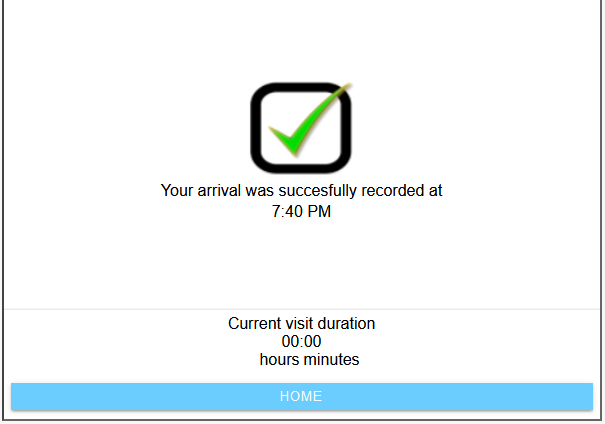
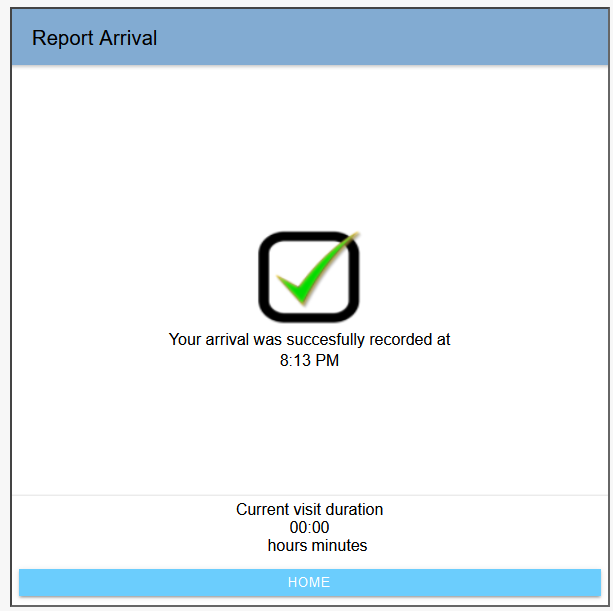
- When the confirming green check mark appears, the check-in is good; click Home
Scheduled Staff Check-in
To access scheduled staff check-in:
- Log in using the individual log-in (not the facility manager log-in), such as
abc.100
- Click Adult Day Care
- Click Staff Check-in
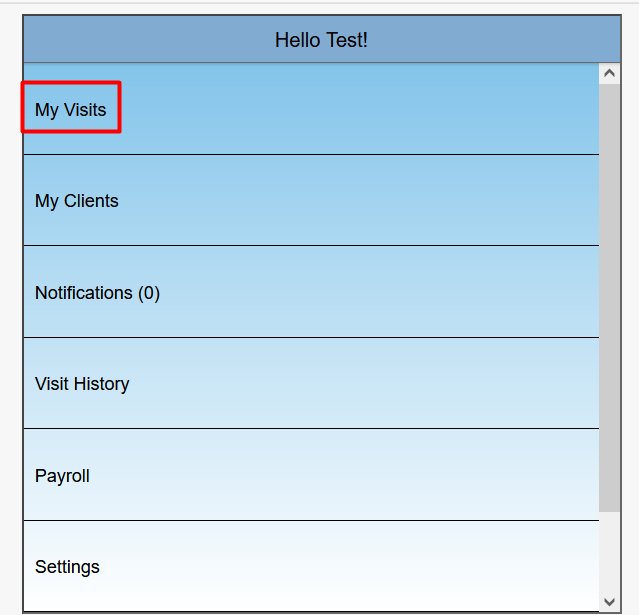
- Click Visits (the organization's check-in page name may vary)
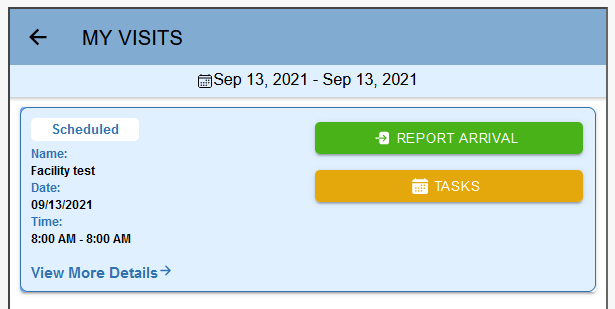
- Click the name of the facility being clocked into
- Click Report Arrival
- Click Accept Time
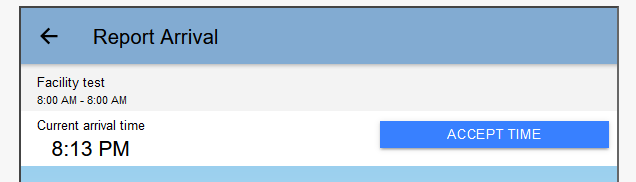
- When the confirming green check mark appears, the check-in is good; click Home
Staff Check-out
Staff check-out is performed in the same location as staff check-in.
- Log in as before
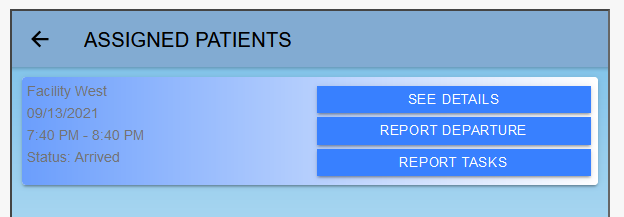
- Click the Office Check-in or Visits page as appropriate
- Click Report Departure
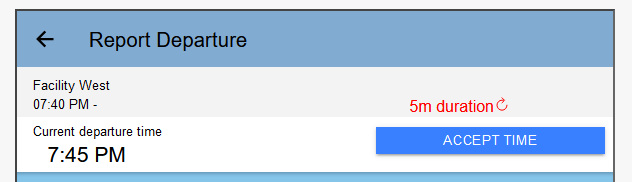
- Click Accept Time
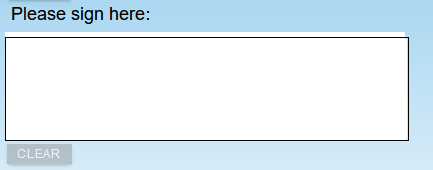
- Sign if required in the environment
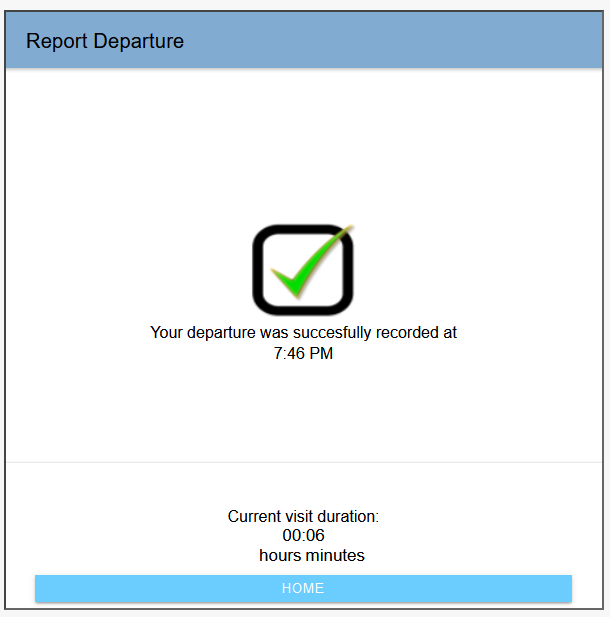
- When the confirming green check mark appears, the check-out is good; click Home
Was this article helpful?