Caregiver Training›Turning Off Data for Android & iPhones

Turning Off Data for Android & iPhones

Turning Off Data in Android Phones

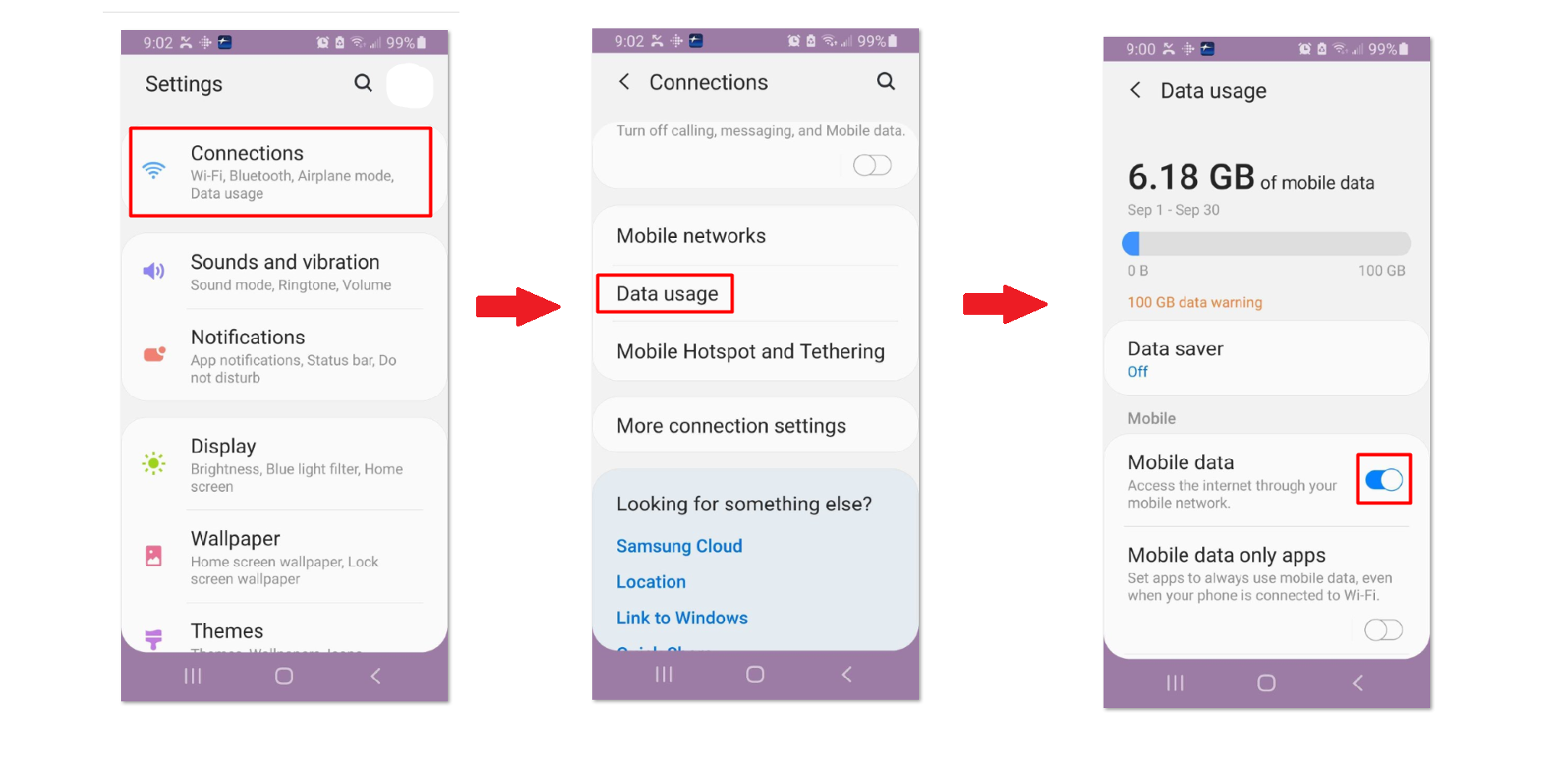
The image shows three sequential Android Settings screens demonstrating how to access Data usage: the Settings home screen with Connections highlighted, the Connections submenu with Data usage option highlighted, and the Data usage details screen showing 6.18 GB of mobile data used for September 1-30 with a 100 GB data warning and toggles for Data saver and Mobile data.

Turning Off Data in iPhones

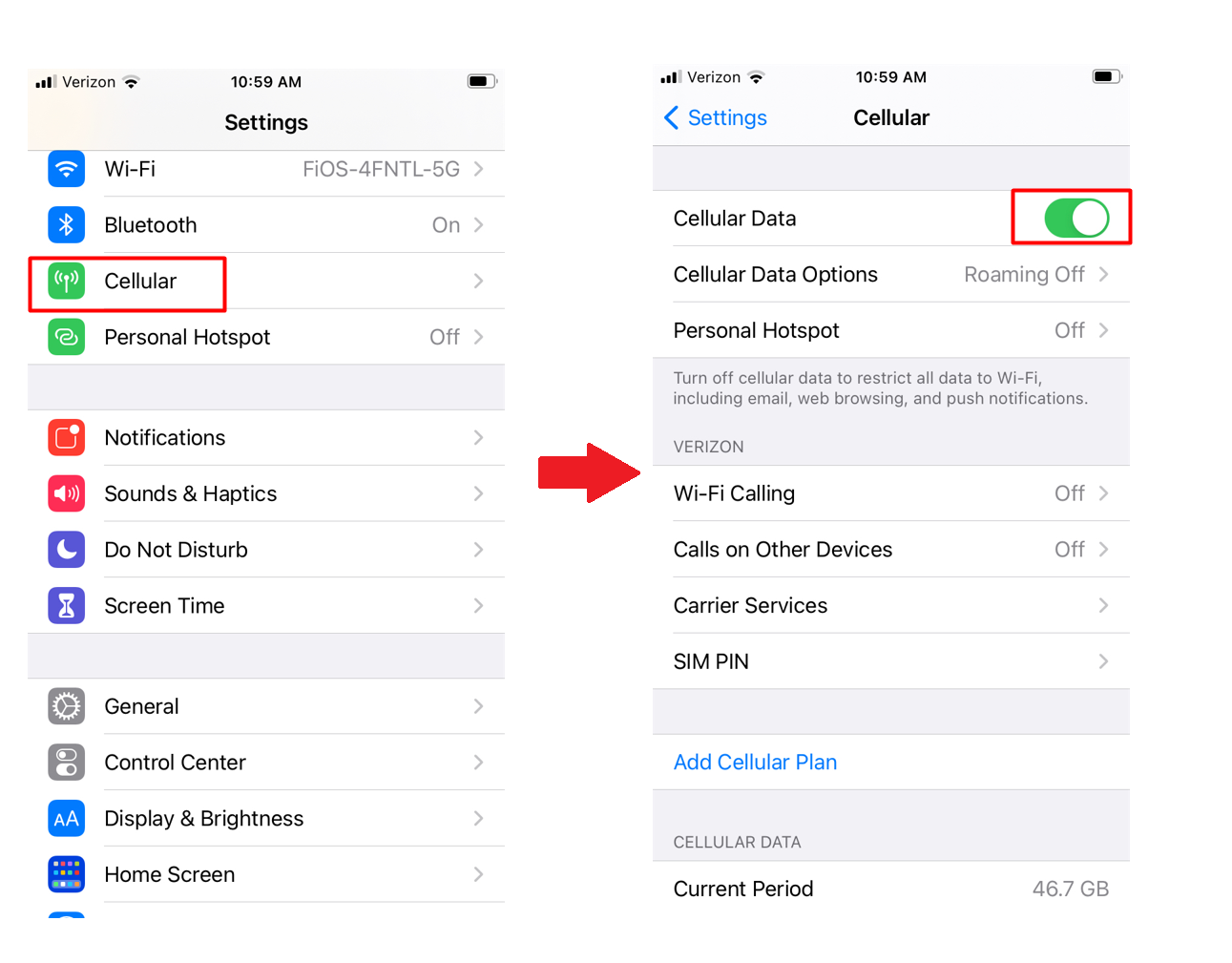
The image shows two iOS Settings screens side by side: on the left is the main Settings menu with the Cellular option highlighted in a red box, and on the right is the Cellular detail page showing Cellular Data toggled on (highlighted in red), along with options for Cellular Data Options, Personal Hotspot, Wi-Fi Calling, Calls on Other Devices, Carrier Services, SIM PIN, and current data usage of 46.7 GB.

Was this article helpful?
On this page