Upload Required Documents in the Ankota Caregiver Mobile App
Overview
This article explains how to log in to the Ankota Caregiver mobile app for the first time and how to upload required documents from the app.
How to Log In to the Ankota Mobile App for the First Time
- Download Ankota Caregiver from the App Store or Google Play.
- Enter login information:
- Username: provided by the organization
- Temporary Password:
password
- Change the password when prompted.
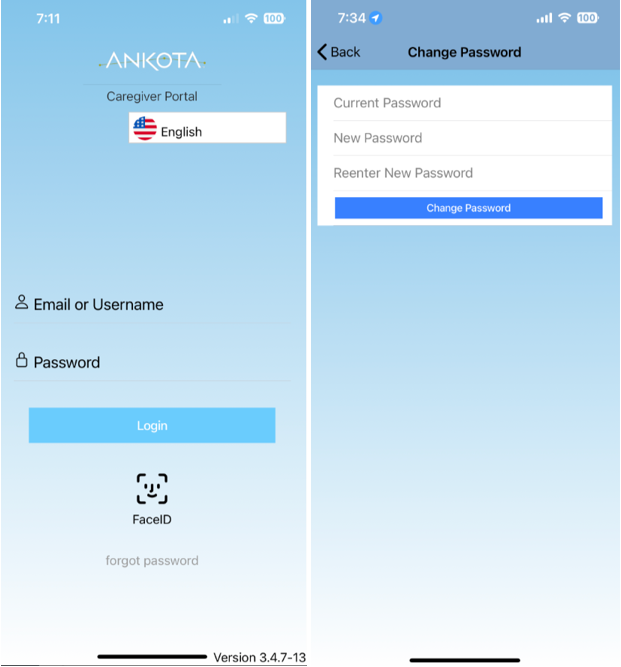
For questions or concerns about login information, contact the employing company's office to confirm the username and password.
How to Upload Documents
- Log in to the Ankota Caregiver mobile app.
- Go to Settings.
- Tap Upload document or picture.
- Add a picture.
- Select the document type.
- Tap Keep.
- Repeat until all required documents have been uploaded.
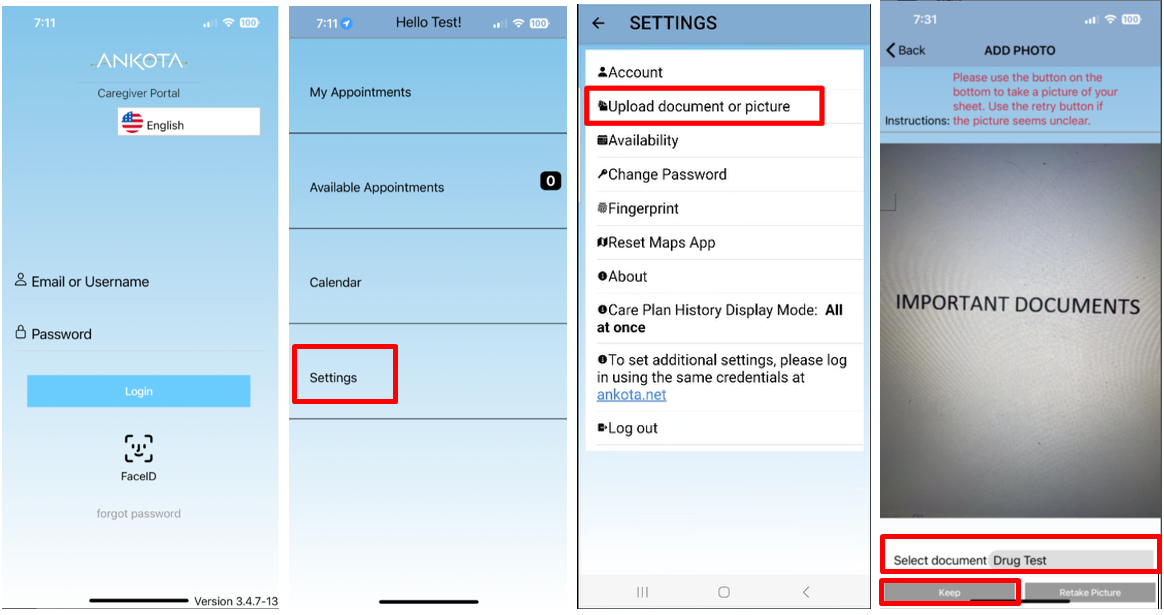
Refer to the document checklist for the applicable role to confirm which documents are required.
Was this article helpful?