Virginia: DMAS Forms and Guidance in Ankota
Overview
In Virginia, DMAS forms are a critical part of Medicaid requirements. Two in particular, the DMAS90 (the provider aide record, which serves as an audit form) and the DMAS97AB (the evaluation/care plan form) are fundamental to Personal and Respite care and are particularly integrated into Ankota.
Note: As of 2025, Edge has integrated a new PDF viewer which does not support the DMAS90. To disable this viewer:
- Open Edge.
- Paste the following in the search bar:
edge://flags - Search for New pdf viewer.
- Disable it.
- Contact support if further assistance is needed.
DMAS90
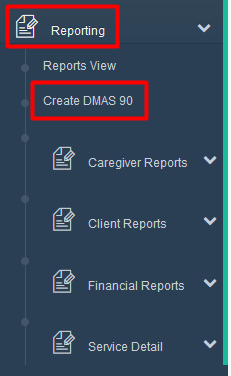
The DMAS90 is the form that pulls all the PC or (standard) Respite visit data from Ankota into one location. When caregivers close out visits normally via the mobile app or telephony, data is saved in Ankota and made available to the DMAS90. When the DMAS90 is needed, go to the Reporting section, click the DMAS90 link, and create the needed forms.
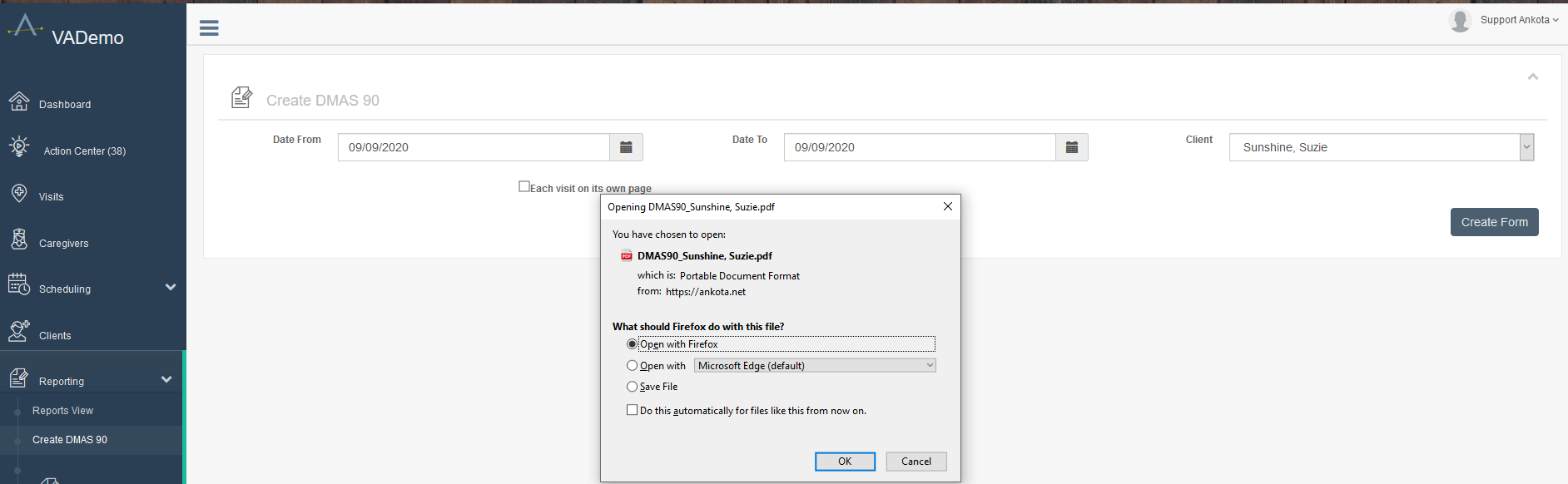
When creating the DMAS90, select the desired date range, client name, and either check or leave unchecked the option to separate out each visit on its own page (per company preference) before clicking the Create Form button. Then open or save the file to the desktop and review as needed.
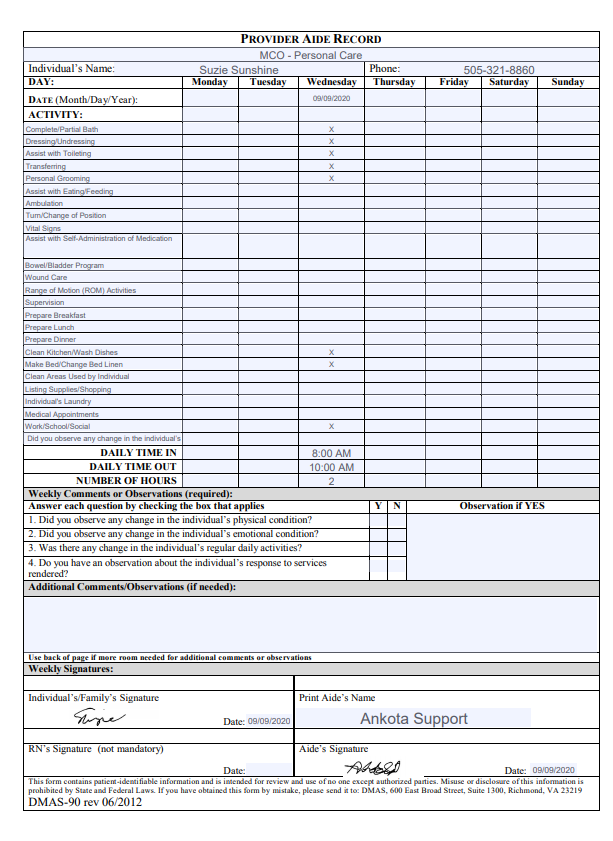
If a question is not asked (because it is not part of the care plan to ask it at this time), no answer will be documented. For example, below, the four client status questions were not set to be asked on this day, and therefore no response is documented.
DMAS90A
The DMAS90A is the form that pulls all the skilled respite visit data from Ankota into one location. When nurses close out skilled respite visits normally via the mobile app or telephony, data is saved in Ankota and made available to the DMAS90A. When the DMAS90A is needed, go to the Reporting section, click the DMAS90A link, and create the needed forms.
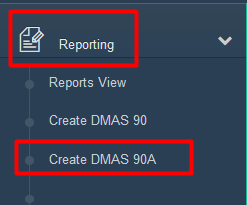
When creating the DMAS90A, select the desired date range, client name, and either check or leave unchecked the option to separate out each visit on its own page before clicking the Create Form button. Then open or save the file to the desktop and review as needed.
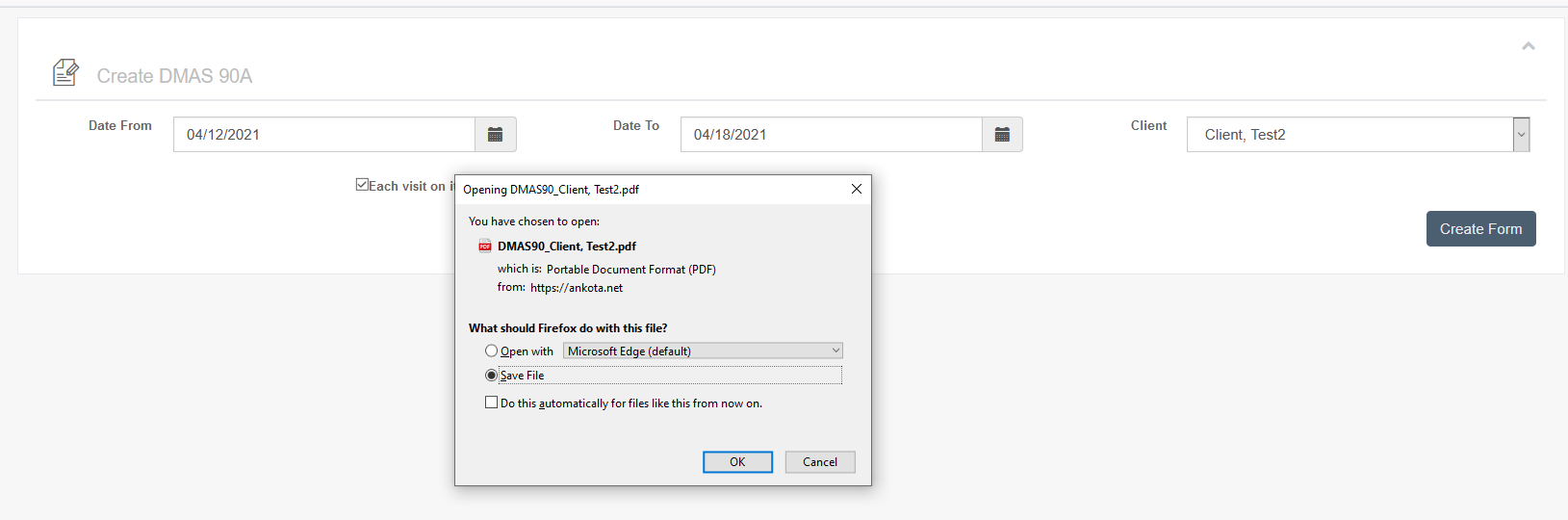
If a question is not asked (because it is not part of the care plan to ask it at this time), no answer will be documented.
DMAS97AB
The DMAS97AB is the critical form which outlines Medicaid Personal Care and Respite Care services which should be received by the client. This form is typically filled out by a nurse or CD coordinator, either via Mobile Forms (the offline solution), via the Visits with Forms tab, or via the Documents page.
By filling out the DMAS97AB for Personal Care, a care plan is created under the Care Plan tab. It is also saved as a Document in PDF form which matches the state requirements.
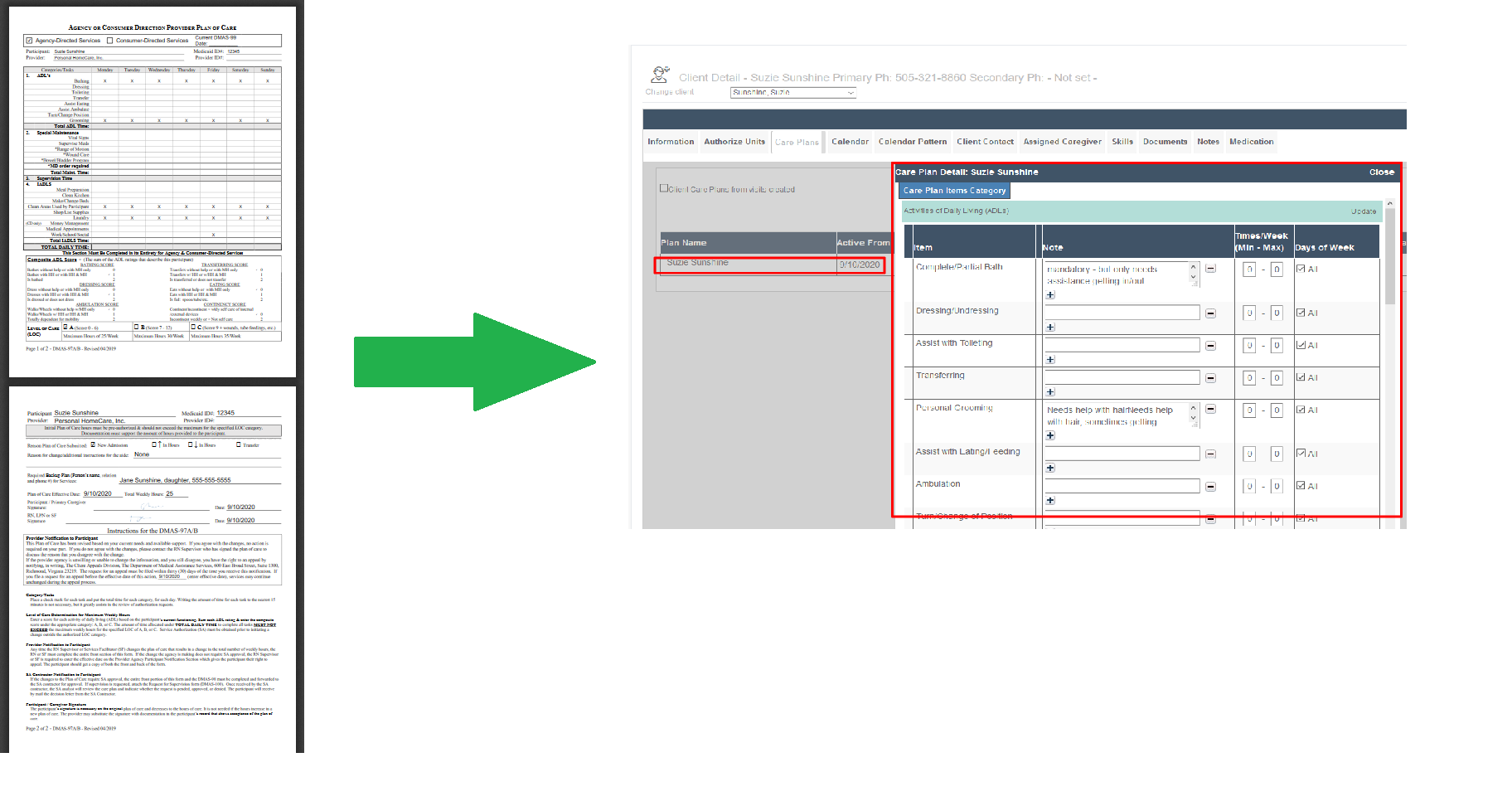
In general, work from top to bottom and complete the form as usual. Key reminders about working in the DMAS97AB in Ankota:
- Once the DMAS97AB or DMAS97AB_Respite is filled out for a client, the next time it is filled out for that same client, the data from the client's previous form will be carried over. Only adjustments/updates and signing are needed.
- If the Add to care plan box is checked at the start of each row, the item will be "turned on" in the Ankota care plan.
- If a note is added, it will be copied to the Ankota care plan.
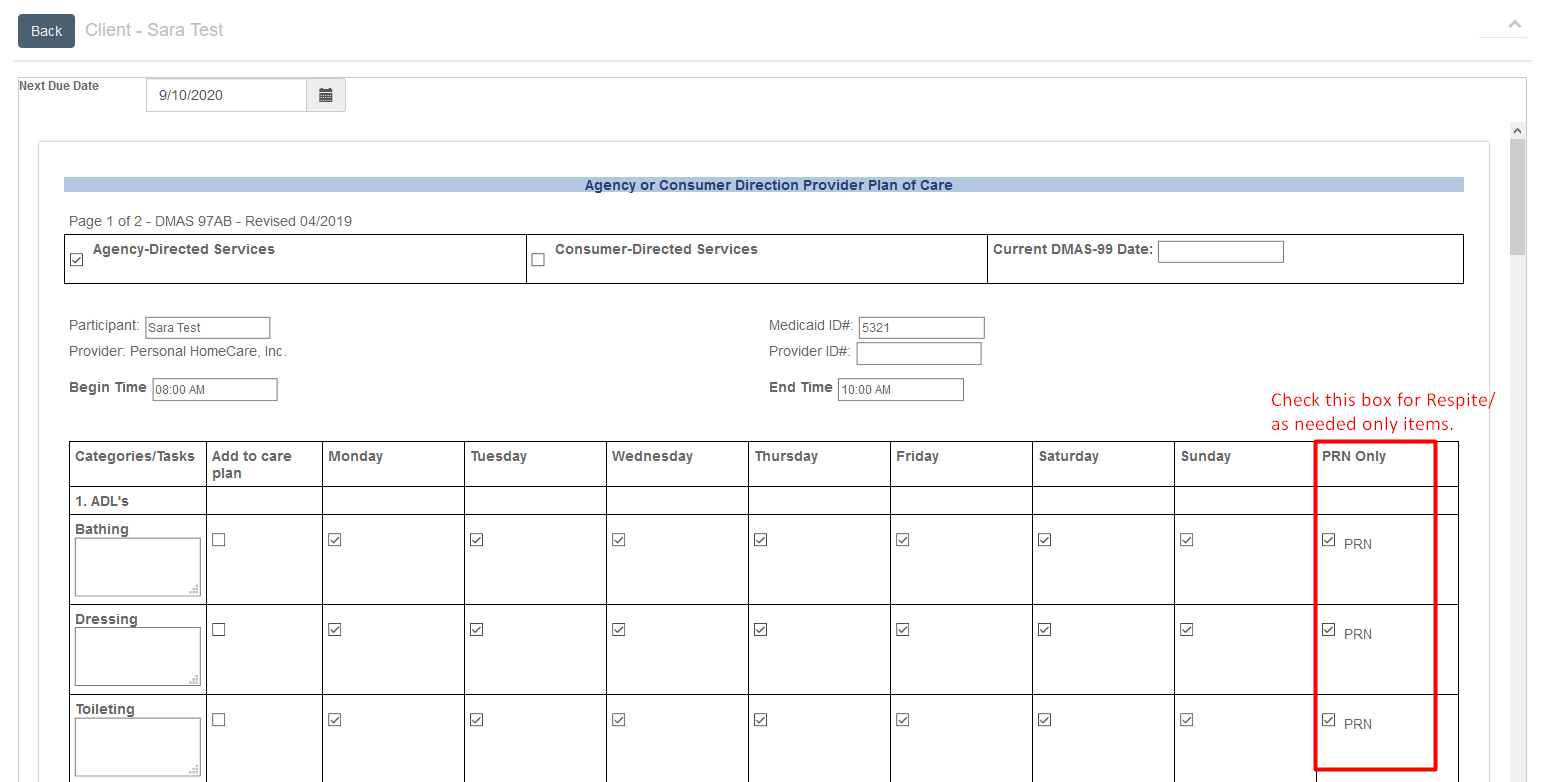
- If the PRN box is checked, that means as needed only. No Ankota care plan will be created, but caregivers will always be able to select a care plan item from the complete list when reporting Respite. This is standard for Virginia Respite.
- If a minimum or maximum is needed (such as no less than 1 time per week and no more than 3 times per week), this will need to be tailored in the Ankota care plan.
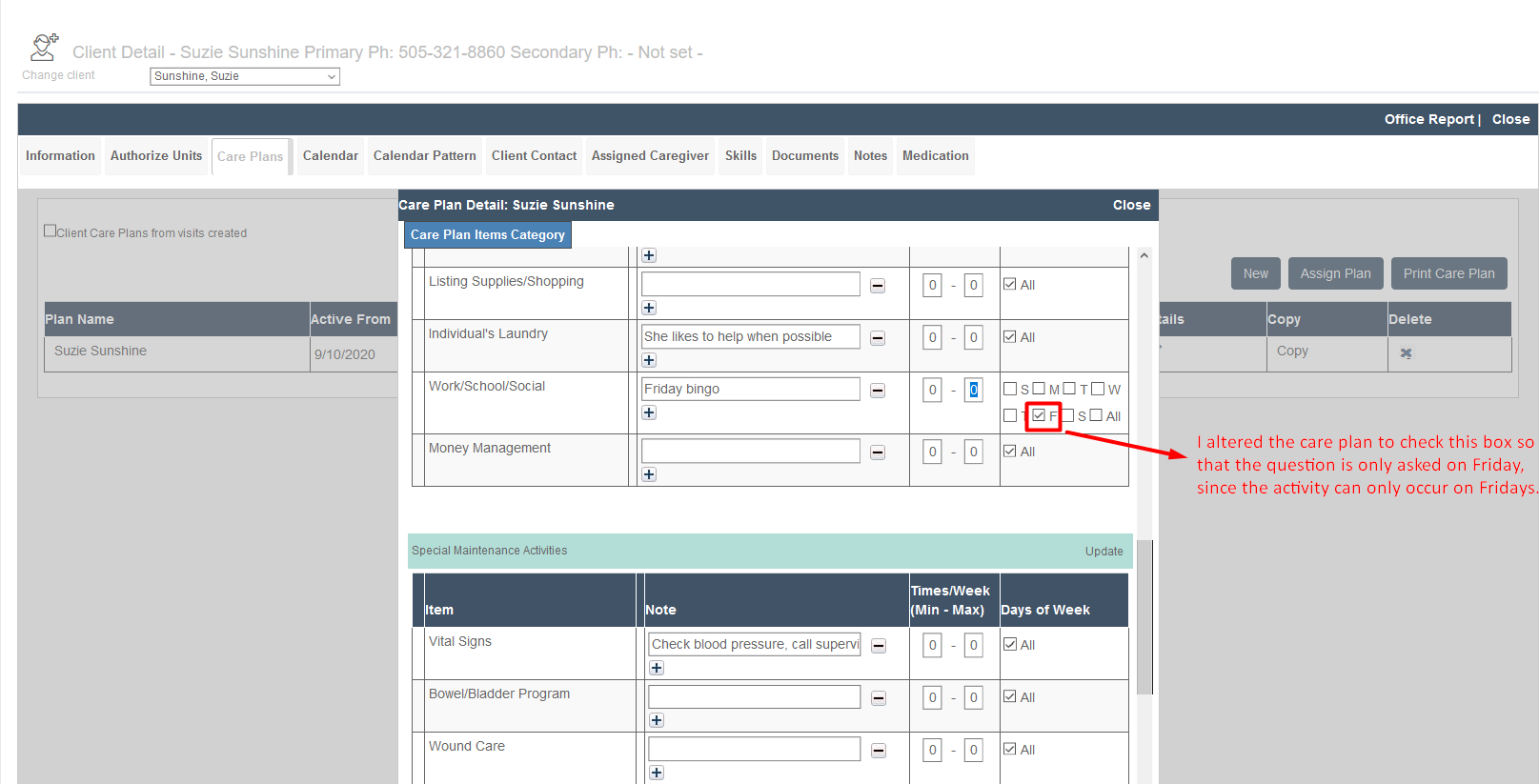
- Each day of the week is typically checked for each care plan item. If an item truly only needs certain days of the week, such as a social event like Bingo which only occurs Fridays, take two steps: first, check only the appropriate day boxes in the DMAS97AB for recordkeeping; second, adjust the Ankota care plan to reflect mandatory days.
- For clients who only have Respite, with no Personal Care, turn on the four questions and therefore create a care plan, even if everything else is still PRN.
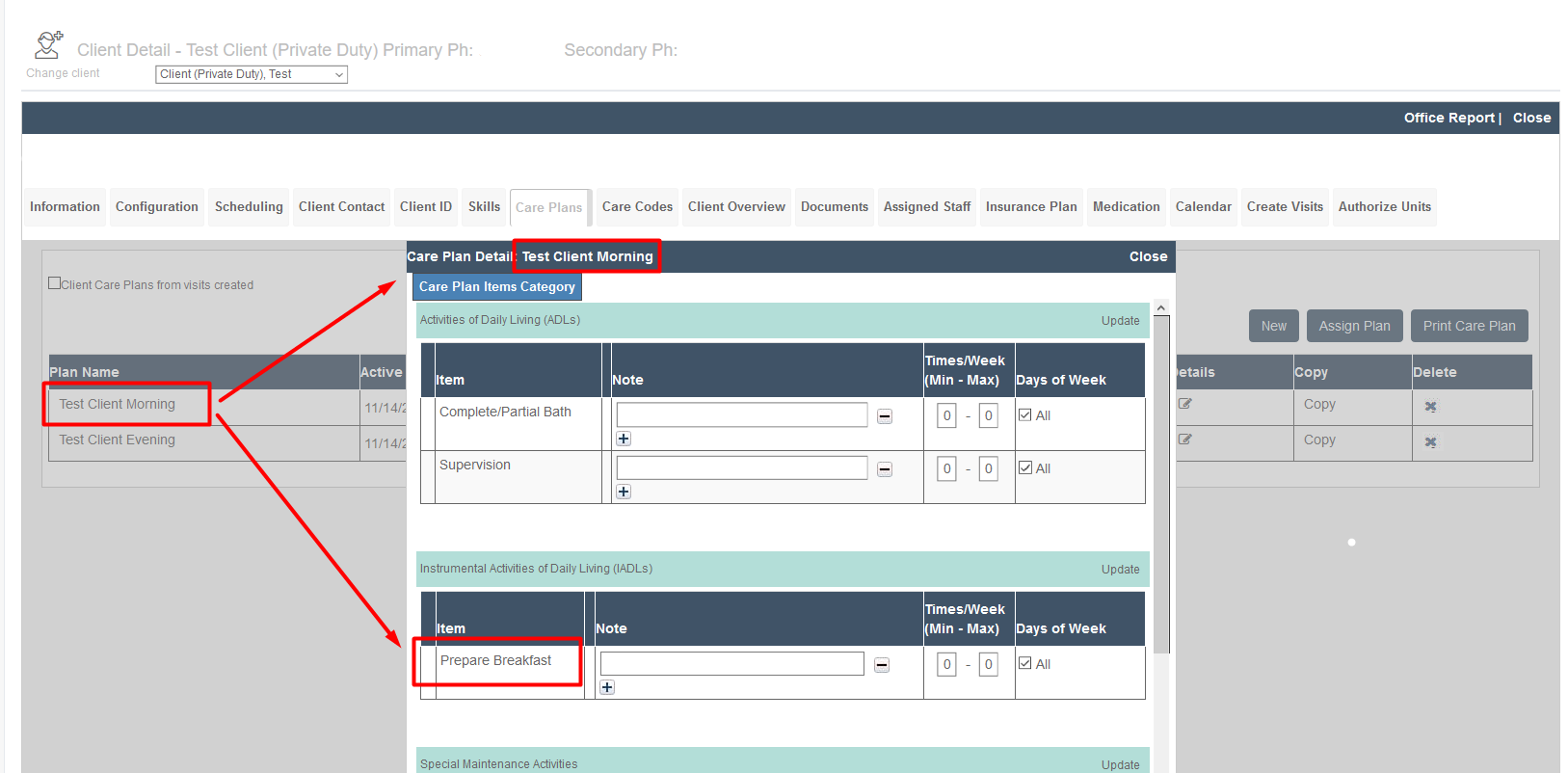
- Clients with multiple care plans (due to morning/evening care plan items) will need to be scheduled using Create Visits.
Respite
While a separate DMAS97AB for Respite can and normally should be created per Medicaid standards, if each care plan item is PRN/as needed then the DMAS97AB for Respite will not create a second, competing care plan in Ankota. (In the unusual event where Virginia Medicaid Respite Care requires regular, recurring care plan items, not PRN/as needed, reach out to an Ankota specialist for specific guidance.) Check the PRN box for each care plan item to avoid creating a new care plan, as opposed to checking the Add to care plan box.
For clients who only have Respite, with no Personal Care, turn on the four questions and therefore create a care plan, even if everything else is still PRN.

Tailoring Care Plans in Ankota
Care plans can be further tailored in Ankota by adding notes, defining minimums and/or maximums, and/or specifying days of the week for each care plan item.
Multiple Care Plan Management
If a second care plan is needed due to differing services in the morning and evening, either schedule using the historic Create Visits function, or adjust the Calendar Pattern after scheduling the visits in calendar-based scheduling.
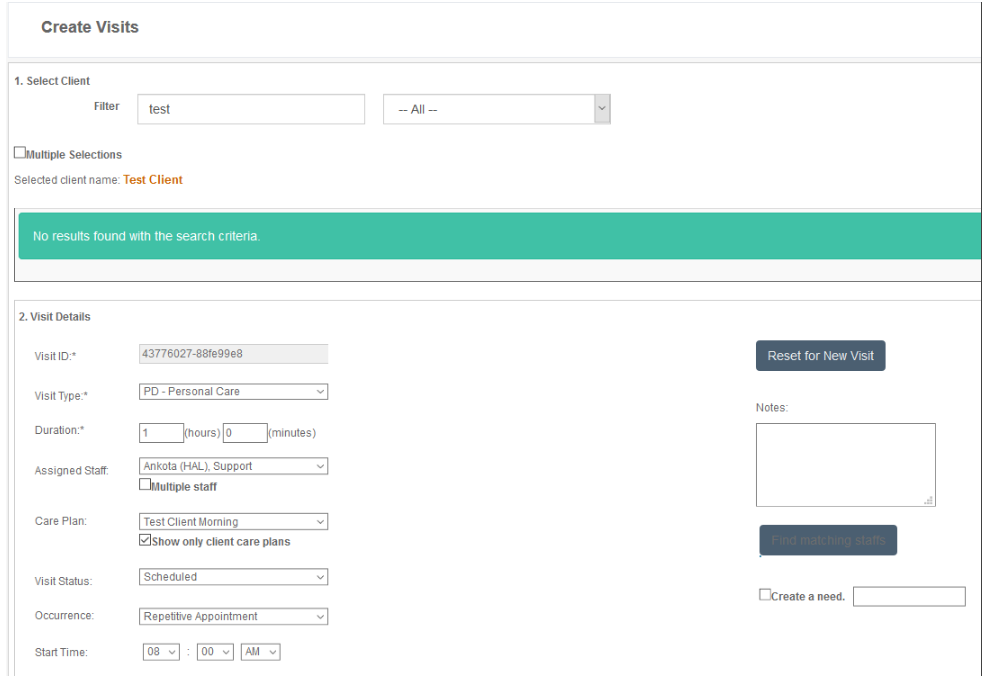
To schedule with Create Visits via the Create Visits page:
- Click Scheduling.
- Click Create Visits.
- Select the Client.
- Select the Visit Type.
- Enter the Duration.
- Select the Caregiver.
- Select the Care Plan.
- Leave the Visit Status as Scheduled.
- Enter the Visit Start Date.
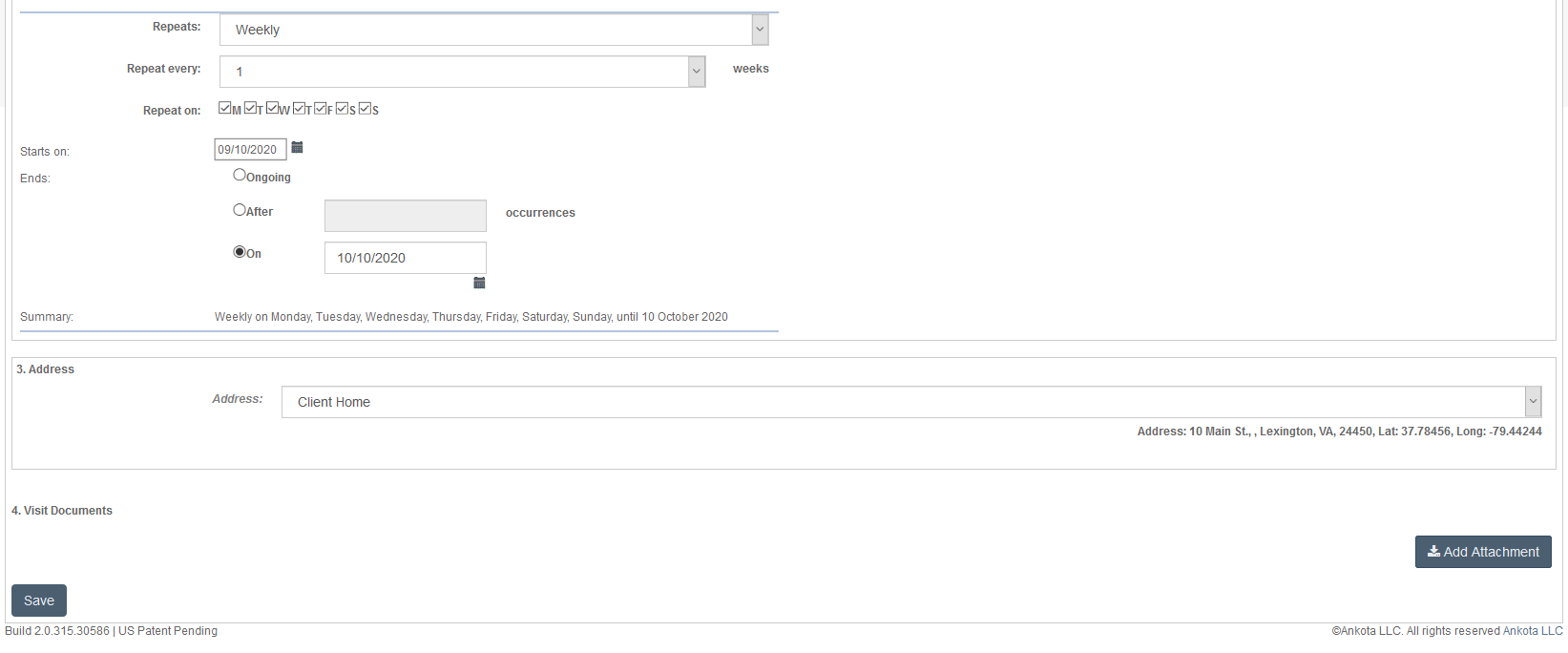
- Select Occurrence or Repeating Visits as needed. If Repeating is selected, enter the appropriate recurrence, most likely weekly, with days selected, ending on the last day of the authorization.
- Enter the Start Time.
- Save.
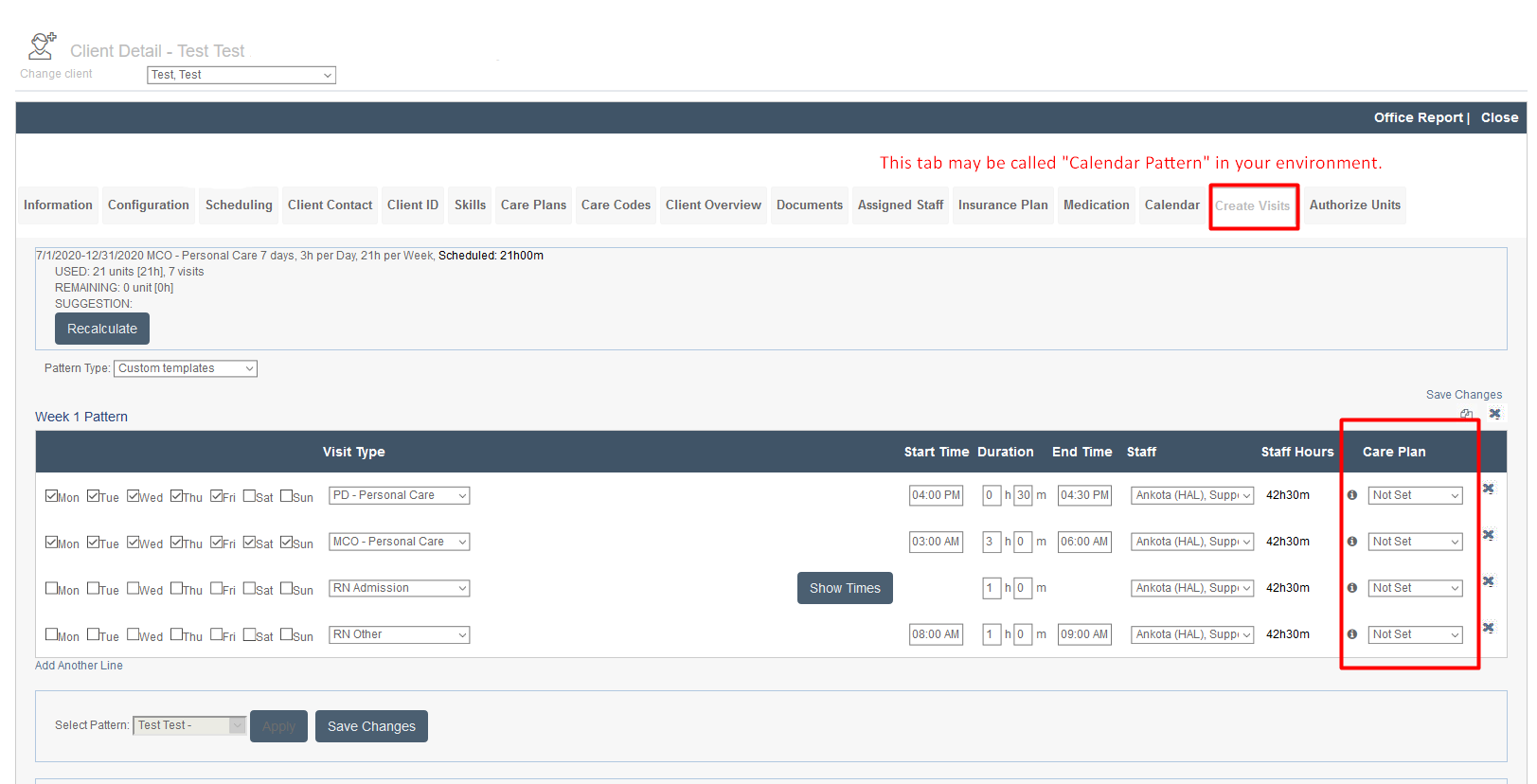
Alternately, visits can be scheduled via calendar-based scheduling, then the care plan assigned using the Create Visits/Calendar Pattern tab in the client's profile.
To edit the calendar pattern and assign a care plan to a calendar pattern:
- Click Clients.
- Filter for the client and click on the client's name.
- Click the Create Visits/Calendar Pattern tab.
- Click Edit.
- Select the Care Plan associated with each pattern.
- Save.
For clients with multiple care plans, it may be preferable to delete the default care plan created by the DMAS97AB and instead build two new ones to ensure clear titling. For example, if Jane Doe's DMAS97AB requires breakfast and dinner in her care plan, to ensure the breakfast item is only asked during the morning and the dinner item is only asked in the evening, delete the automatically built care plan and instead create two separate care plans, "Jane Doe Morning Care Plan" and "Jane Doe Evening Care Plan," with breakfast on the Morning Care Plan and dinner on the Evening Care Plan. Include all other care plan items as normal.