Overlapping Visits
Overview
In Ankota, most overlapping visits are automatically prevented from passing screening in the Visit Approval Dashboard. (Exceptions are made for certain visit types, typically nurse visits.) The Approve button is not available until the overlap is removed.
Correcting Overlapping Visits
To identify the overlap, open the visit in the Visit Approval Dashboard and scroll down to see the violation warning. These visits also typically have the approval buttons hidden.
To correct the overlap:
- Click on the Reported Value link to the overlapping visit.
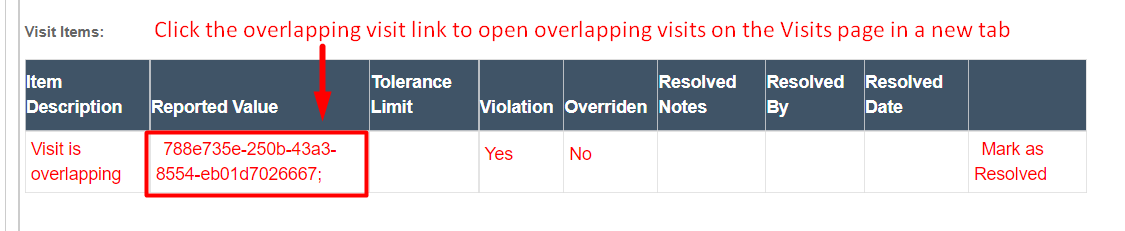
- Identify the overlapping visit by viewing the list.
- Filter for the overlapping visit on the Visit Approval Dashboard.
- Change the Corrected Arrive and Departure Date/Time options so it no longer overlaps.
- Click Save Visit Details.
After correcting the overlap, the Approve button will be available on both visits once they are no longer overlapping.
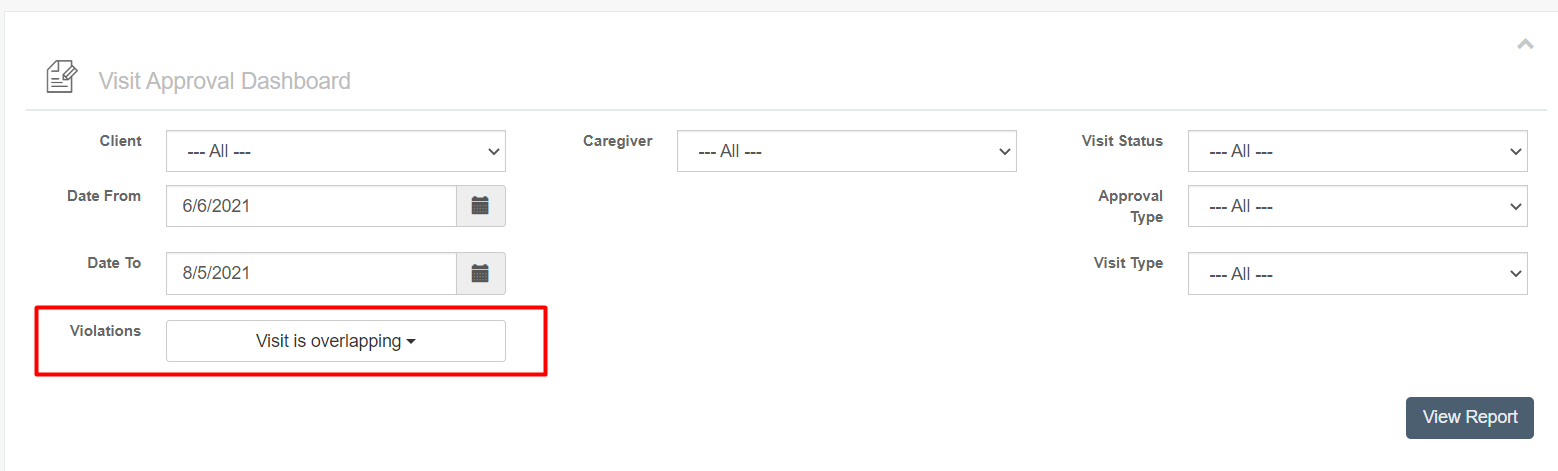
Overlapping visits can also be found by filtering by violation type: Visit is overlapping.
Allow Overlapping Visits
Visit types can be configured to allow overlaps with the same visit type or alternate visit types. For office shifts with overlaps, see also Caregiver Shifts in Ankota (Shift Visit Type Options).